
Daily sleep totals
See how many hours your baby slept in the last 24 hours — broken down by daytime naps and nighttime sleep. Compare day over day to spot whether a schedule change is helping.
FEATURE
One tap to start, one tap to stop. Tinylog logs every nap and overnight stretch so you can spot what's working — without fumbling with your phone at 3 AM.
See total sleep hours, wake windows, and day-vs-night breakdowns at a glance. No spreadsheets, no complicated charts — just the clarity you need.
You're staring at the ceiling wondering: did the baby sleep two hours or three? Was that last nap at 1 PM or 2 PM? Is this a regression or just a bad night?
When you're running on broken sleep, your memory is the first thing to go. And without reliable data, every decision about nap timing, bedtime, and wake windows is a guess.
That's why parents track sleep — not to be obsessive, but to find the patterns hiding inside the chaos.
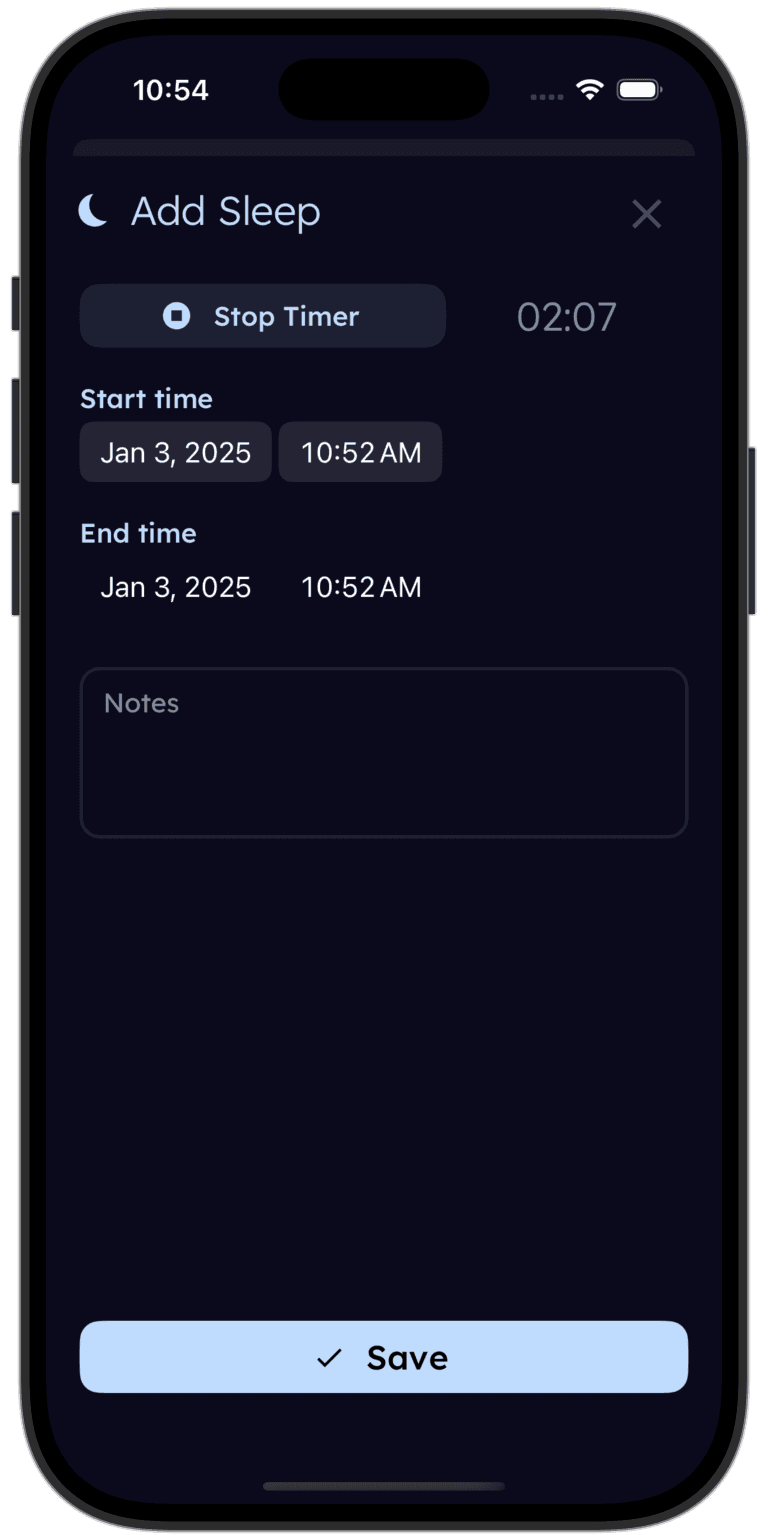
Tap once when your baby falls asleep, tap again when they wake. Tinylog logs the session and shows you total hours, nap counts, and wake windows — so you can spot what's working without a spreadsheet.


Tinylog is designed for exhausted parents. That means the fewest possible taps between "baby fell asleep" and "logged."
Starting a sleep session: Open the app, tap the sleep button. That's it. The timer runs in the background — close the app, lock your phone, go back to sleep yourself.
Ending a sleep session: When your baby wakes up, tap again. Tinylog logs the start time, end time, and total duration.
Adding a past sleep: Forgot to start the timer? Tap "add entry," pick the start and end times, and the session appears in your log as if you tracked it live.
At-a-glance summaries: Your home screen shows today's total sleep, the number of naps so far, and the current wake window — the time since your baby last slept. No digging through menus.
Raw sleep logs are useful. But the real value is in what Tinylog shows you on top of them.
See how many hours your baby slept in the last 24 hours — broken down by daytime naps and nighttime sleep. Compare day over day to spot whether a schedule change is helping.
Tinylog calculates the gap between each sleep session automatically. You'll see how long your baby has been awake right now and the average wake window length over the past week — so you can time the next nap before overtiredness kicks in.
That golden first stretch of nighttime sleep? Tinylog highlights it so you can track whether it's getting longer. When it jumps from three hours to five, you'll want proof it actually happened.
A simple timeline view shows every sleep and wake period across the day. Patterns that are invisible in a list — like a consistently short afternoon nap — jump out when you can see the whole day at once.
Tinylog shows daily totals, wake windows, and longest stretches at a glance — so you can tell whether a schedule change is helping, even on two hours of sleep.
Your 4-month-old suddenly wakes every 90 minutes after weeks of 4-hour stretches. Without data you'd panic. With Tinylog's history you can see the regression started on a specific date and compare it against their normal baseline — so you know what "back to normal" actually looks like.
Dad handles the first wake-up, Mom takes the 4 AM shift. With caregiver sync, both parents see when the baby last slept and how long they've been awake — no whispered hallway handoffs, no conflicting notes on the fridge.
At your next well visit, pull up the weekly summary instead of trying to reconstruct sleep from memory. Pediatricians make better recommendations when they have actual data — and you'll spend less time guessing.
You don't need to track perfectly. Even logging 80% of sleeps gives you usable patterns within a week. Focus on consistency rather than precision — a nap logged two minutes late is infinitely more useful than a nap not logged at all.
Looking for sleep schedules, wake windows by age, or regression timelines? Check out our free guides: