
GUIDE
CuboAi Gen 3 vs. Babysense MaxView
Published on
The CuboAi Gen 3 is the better pick if you want AI-powered safety alerts (face-covered detection, danger zone warnings) and cloud playback. The Babysense MaxView wins on pure video quality, local storage, and value for money. Both have solid night vision and two-way audio.
These two monitors sit at different ends of the smart baby monitor spectrum. CuboAi leans heavily into AI detection and cloud features. Babysense keeps things simpler with a high-res camera, local SD card storage, and a lower price tag. Your choice depends on whether you want a monitor that thinks for you or one that just shows you a really clear picture.
Log naps, night wakes, and sleep totals
Two Good Monitors With Very Different Philosophies
The CuboAi Gen 3 and Babysense MaxView both deliver sharp 1080p video of your sleeping baby. But they take fundamentally different approaches to what a baby monitor should do.
CuboAi bets big on artificial intelligence. It watches your baby and alerts you if a blanket covers their face, if they roll into a dangerous position, or if they crawl into a zone you've marked off-limits. It's a monitor that tries to be a second set of eyes — smart eyes.
Babysense takes the opposite approach. It gives you a clear, high-resolution picture with pan-tilt-zoom control, local storage, and smart home compatibility. No AI gimmicks. No subscription fees. Just a really solid camera that does exactly what you'd expect.
Neither approach is wrong. But they attract very different parents, and understanding what you actually need will save you money and frustration.
For tracking your baby's sleep patterns alongside your monitor data, our sleep schedule guides break things down by age.
| Feature | CuboAi Gen 3 | Babysense MaxView | What It Means |
|---|---|---|---|
| Camera resolution | 1080p HD | 1080p HD | Tie. Both shoot in full HD. Real-world image clarity is comparable in good lighting. |
| Field of view | 135-degree wide angle | 110-degree wide angle | CuboAi captures more of the room, which is helpful for larger nurseries or monitoring play areas. |
| Night vision | Infrared, automatic | Infrared, automatic, enhanced clarity | Both perform well in the dark. Babysense produces a slightly sharper nighttime image. |
| AI detection features | Face-covered, danger zone, cry detection, rollover alert | Cry detection, motion detection | CuboAi wins by a wide margin here. Its AI alerts are the main selling point of the product. |
| Two-way audio | Yes | Yes | Tie. Both let you talk to your baby through the app. |
| Storage | Cloud-based (subscription required for playback history) | Local microSD card + optional cloud | Babysense gives you free local storage out of the box. CuboAi locks playback behind a subscription. |
| Smart home integration | No Alexa/Google Home support | Alexa and Google Home compatible | Babysense works with existing smart home setups. CuboAi is app-only. |
| Pan/tilt/zoom | No (fixed wide-angle mount) | Yes — remote pan, tilt, and 2x zoom | Babysense gives you manual camera control. CuboAi relies on its wide angle to cover the room. |
| Subscription required | Optional but recommended (~$8–$10/mo for premium AI features) | No subscription required | Babysense works fully out of the box. CuboAi's best features need a paid plan. |
| Temperature/humidity sensor | Yes (built into camera unit) | Yes (built into camera unit) | Tie. Both alert you when the nursery gets too hot or too cold. |
| Setup difficulty | Moderate — app setup, account creation, optional subscription | Easy — plug in, connect to Wi-Fi, done | Babysense is more plug-and-play. CuboAi has more steps due to AI feature configuration. |
The AI Question: Do You Actually Need It?
This is the big one. CuboAi's entire pitch rests on its AI detection features — face-covered alerts, danger zone monitoring, rollover detection, and automatic sleep analytics.
Are they useful? Yes, genuinely. Getting a push notification when a blanket drifts over your baby's face at 3 AM has real value. The danger zone feature is clever if your baby is mobile and you want alerts when they crawl near the crib edge or toward a specific area.
Are they perfect? No. False positives happen. The face-covered alert can trigger when a baby is swaddled or turns their head at certain angles. You'll get some notifications that make your heart skip a beat for nothing. And the AI features only work well when the camera has a clear, unobstructed view — which means mounting placement matters a lot.
The real question is whether those features are worth $8–$10 per month on top of a higher base price. If you're an anxious first-time parent who will check the monitor fifty times a night anyway, the AI alerts might genuinely help you sleep better. If you're more relaxed or this isn't your first baby, you might find them more annoying than reassuring.
Video Quality and Camera Control
Both cameras shoot 1080p, but the viewing experience feels different.
CuboAi uses a fixed 135-degree wide-angle lens. You get a broad view of the entire room from a single position. The tradeoff is that you can't zoom in on your baby's face or adjust the angle remotely. You set it and forget it — which works great once you find the right mounting spot.
Babysense gives you a 110-degree view with full pan, tilt, and 2x digital zoom. You can follow your baby around the crib from your phone. If your baby tends to migrate to weird corners of the crib (and they will), this flexibility is genuinely handy.
For night vision, both use infrared and both produce a usable image. Babysense has a slight edge in nighttime sharpness. CuboAi's wider angle means you see more of the room but with slightly less detail at the edges.
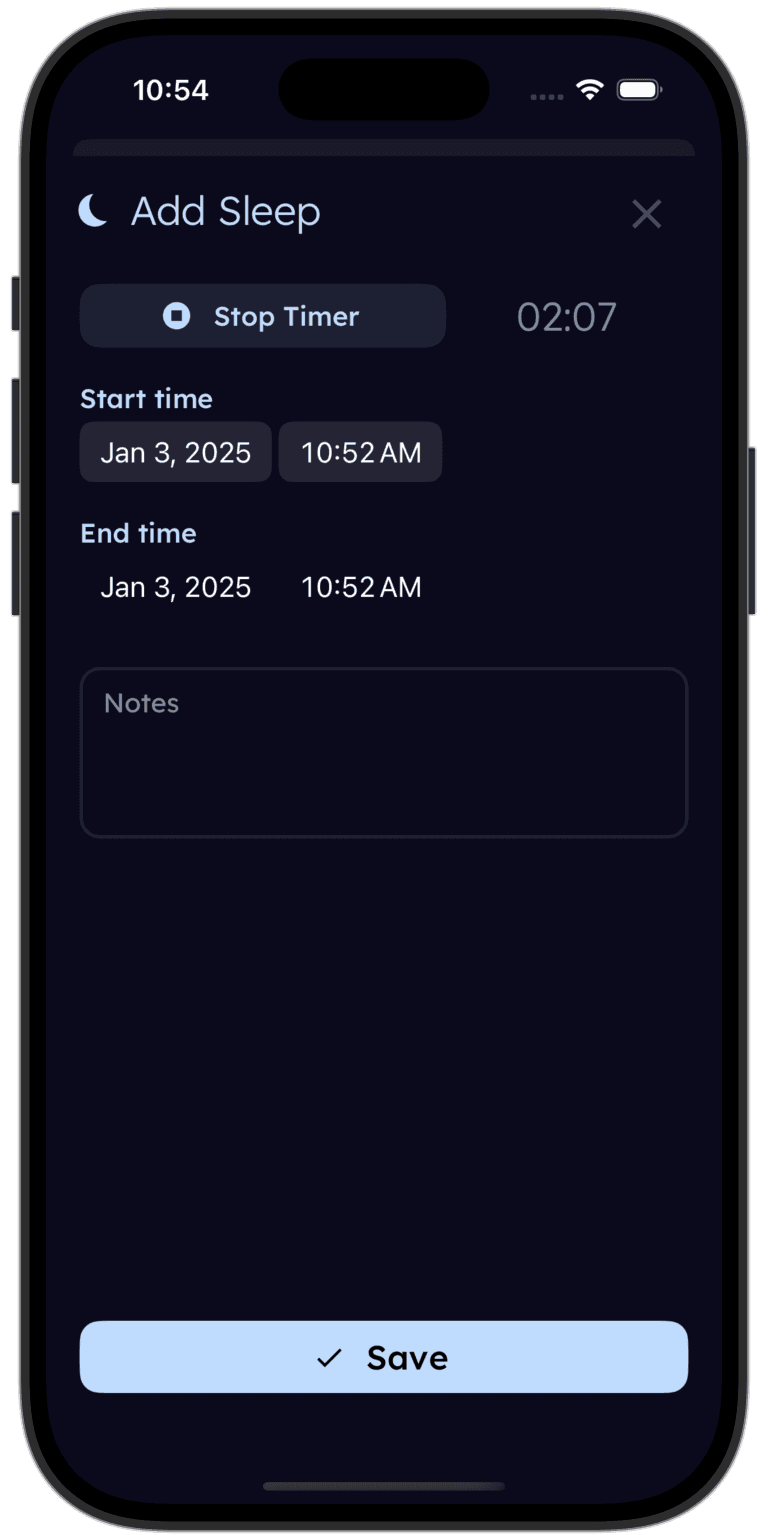
Tinylog pairs perfectly with your baby monitor.
Log sleep times when you see your baby wake on the monitor. Track naps, night wakes, and total sleep hours. Spot patterns over days and weeks.


Storage and Privacy: A Real Consideration
How your baby monitor handles video storage matters more than most parents realize.
CuboAi stores everything in the cloud. Free accounts get a very limited lookback window. The premium subscription unlocks 18 hours of cloud playback. This means your baby's video footage lives on CuboAi's servers. For most families, this is fine. But if cloud privacy is a concern for you, it's worth knowing.
Babysense stores footage locally on a microSD card (not included, but cheap to buy). Your video never leaves your house unless you choose to enable optional cloud features. This is a simpler, more private setup. The downside is that if the SD card fails or fills up, you lose footage.
Both cameras use encryption for their data streams, but the fundamental difference is where your baby's video lives — on someone else's server or on a card in your nursery.
| Product | Typical Price | Ongoing Cost | First-Year Total |
|---|---|---|---|
| CuboAi Gen 3 (single camera) | $199–$249 | ~$8–$10/mo subscription | $295–$369 first year |
| CuboAi Gen 3 (two-camera bundle) | $329–$399 | ~$8–$10/mo subscription | $425–$519 first year |
| Babysense MaxView (single camera) | $99–$139 | No subscription | $99–$139 total |
| Babysense MaxView (two-camera bundle) | $159–$199 | No subscription | $159–$199 total |
Price: This Is Where It Gets Interesting
The sticker price gap between these two monitors is significant, and it only grows over time.
A single Babysense MaxView camera costs roughly $99–$139. That's it. No subscription. No recurring fees. Buy it, set it up, and you're done paying.
A single CuboAi Gen 3 camera costs $199–$249 upfront, and then you'll want the subscription for $8–$10/month to unlock the AI features that justify the higher price. Over the first year, you're looking at $295–$369 — roughly double to triple the Babysense.
Over two years of use, the gap widens further. The CuboAi could cost you $400–$490 total, while the Babysense stays at its one-time purchase price.
That said, if the AI safety alerts help you sleep better and worry less, that peace of mind has real value. Only you can decide if it's worth the premium.
Choose CuboAi Gen 3 If
- You want AI-powered safety alerts like face-covered detection and danger zone warnings
- You're willing to pay a monthly subscription for advanced features and cloud playback
- You want automatic sleep tracking and analytics built into your monitor
- Your nursery is large and benefits from the 135-degree wide-angle lens
- You prefer cloud storage over managing a physical SD card
Choose Babysense MaxView If
- You want a reliable, high-quality monitor without ongoing subscription costs
- You prefer local storage on a microSD card for privacy and simplicity
- You want pan, tilt, and zoom control to follow your baby around the crib
- Smart home integration with Alexa or Google Home matters to you
- You want a straightforward setup with minimal fuss
- Budget is a factor and you'd rather spend less upfront with no recurring fees
Where to Buy
If AI-powered safety alerts are your top priority, the CuboAi Gen 3 (~$199–$249 + subscription) delivers genuinely useful features like face-covered detection and danger zone monitoring. The wide-angle lens covers the whole nursery, and the sleep analytics are a nice bonus if you're already tracking sleep patterns.
If you want excellent video quality without recurring costs, the Babysense MaxView (~$99–$139, no subscription) is hard to beat on value. Pan-tilt-zoom control, local storage, smart home compatibility, and a lower price tag make it the more practical choice for most families.
Our honest take: if you're on a budget or prefer simplicity, the Babysense is the smarter buy. If you're willing to pay for AI peace of mind and the subscription doesn't bother you, the CuboAi delivers on its promises — just know what you're signing up for.
Tinylog earns a small commission on purchases made through these links, at no cost to you.
Looking for a discount? Try checking promo.new. It doesn't always find what you're looking for, but when it does, it works like a charm.
The Bottom Line
The CuboAi Gen 3 and Babysense MaxView are both solid baby monitors that will show you a clear picture of your sleeping baby. The differences come down to philosophy and budget:
CuboAi Gen 3 wins on AI safety features, automatic sleep analytics, and wide-angle coverage. It costs more upfront and has ongoing subscription fees, but the face-covered and danger zone alerts are genuinely useful features you won't find on the Babysense.
Babysense MaxView wins on value, simplicity, camera control, local storage, smart home integration, and total cost of ownership. It does fewer things, but it does them well and doesn't ask for your credit card every month.
Both monitors will serve you well through the baby and toddler years. The "right" one depends on what kind of parent you are — and there's no wrong answer.
If you're tracking your baby's sleep alongside your monitor, Tinylog makes it easy to log naps and night wakes so you can spot patterns and share data with your pediatrician.
Related Guides
- 1-Month-Old Sleep Schedule — What to expect and how much sleep your newborn needs
- Baby Sleep Regression — Why your baby suddenly stopped sleeping well
- Safe Sleep Guidelines — ABCs of safe sleep and reducing SIDS risk
- Baby Feeding Chart — How much your baby should eat by age
Sources
- CuboAi. "CuboAi Gen 3 Smart Baby Monitor — Product Information." cuboai.com, 2026.
- Babysense. "Babysense MaxView 1080p Baby Monitor — Product Information." babysense.com, 2026.
- Wirecutter (New York Times). "The Best Baby Monitors." nytimes.com/wirecutter, 2026.
- Consumer Reports. "Best Baby Monitors of 2026." consumerreports.org, 2026.
- BabyGearLab. "Best Baby Monitor Reviews." babygearlab.com, 2026.
- American Academy of Pediatrics. "Safe Sleep: Back Is Best." healthychildren.org.
- What to Expect. "Best Smart Baby Monitors." whattoexpect.com, 2026.
This guide is for informational purposes only. Baby monitors are supplementary tools and should not replace safe sleep practices or direct supervision. Always follow AAP safe sleep guidelines regardless of which monitor you use.
Frequently asked questions
- Does the CuboAi Gen 3 require a subscription?
- CuboAi offers basic features for free, but the premium AI alerts (face-covered detection, danger zone alerts, 18-hour cloud playback) require a paid subscription plan starting around $8–$10/month. Without the subscription, you lose most of what makes the CuboAi special.
- Can the Babysense MaxView work without Wi-Fi?
- Yes. The Babysense MaxView stores footage locally on a microSD card and does not require a cloud connection to function. You do need Wi-Fi for remote viewing on your phone, but the camera works independently for local recording and monitoring.
- Which monitor has better night vision?
- Both monitors offer solid infrared night vision. The CuboAi Gen 3 uses a wider-angle lens that captures more of the room in low light. The Babysense MaxView produces a sharper, more detailed night image thanks to its 1080p sensor. In practice, both give you a clear view of your baby in a dark nursery.
- Is CuboAi's face-covered detection reliable?
- CuboAi's face-covered detection uses machine learning to alert you when a blanket, stuffed animal, or hand covers your baby's face. It is generally reliable but not perfect — false positives happen, especially with swaddled babies. It should be treated as a supplementary tool, not a replacement for safe sleep practices.
- Can I use multiple cameras with either monitor?
- Yes. CuboAi supports adding multiple cameras to one account with split-screen viewing in the app. Babysense MaxView also supports multiple cameras, though you may need to purchase an additional camera unit separately. Both let you monitor more than one room.
- Do these monitors work with smart home systems like Alexa or Google Home?
- The Babysense MaxView is compatible with Alexa and Google Home for voice-activated viewing on smart displays. CuboAi Gen 3 does not currently support Alexa or Google Home integration — it works exclusively through its own app.