
GUIDE
CuboAi Gen 3 vs. HelloBaby HB32W
Published on
The CuboAi Gen 3 is a premium smart monitor with AI safety alerts and 1080p HD video. The HelloBaby HB32W is a simple, affordable video monitor with a dedicated parent unit and no Wi-Fi required. One costs about four times more than the other — the right pick depends on which features actually matter to your family.
The CuboAi Gen 3 and HelloBaby HB32W represent two fundamentally different approaches to baby monitoring. CuboAi uses computer vision to detect covered faces, rollovers, and danger zones. HelloBaby gives you a reliable video feed on a handheld screen with zero setup complexity. Comparing them is really about deciding how much tech you want in the nursery — and how much you are willing to spend for it.
Log naps, wake windows, and overnight stretches
Smart AI Monitor vs. Simple Video Monitor — What Actually Matters
The CuboAi Gen 3 and the HelloBaby HB32W sit on opposite shelves at the baby store for a reason. They are built for different parents solving different problems.
The CuboAi Gen 3 is a Wi-Fi connected smart camera with computer-vision AI that can tell you when a blanket covers your baby's face, when they roll over, or when they crawl into a zone you marked as off-limits. It streams in 1080p to your phone and stores clips in the cloud.
The HelloBaby HB32W is a $50-ish camera with a handheld parent unit. It shows you a live video feed. That is basically it — and honestly, for a lot of families, that is enough.
The question is not which one is "better." The question is whether the smart features are worth roughly four times the price for your specific situation. Here is what we found.
| Feature | CuboAi Gen 3 | HelloBaby HB32W | What It Means |
|---|---|---|---|
| Manufacturer | CuboAi (by Yun Yun AI Baby) | HelloBaby | CuboAi is a growing smart baby tech company. HelloBaby is a consumer electronics brand focused on affordable, simple monitors. |
| Camera resolution | 1080p HD with 135° wide-angle lens | 640 × 480 (VGA) | CuboAi's image is significantly sharper, especially when zooming or in daylight. HelloBaby is clear enough to see your baby but not crisp. |
| Viewing method | Smartphone app (iOS/Android) | Dedicated 3.2-inch parent unit | Different philosophies. CuboAi uses your phone. HelloBaby gives you a standalone screen that is always on and always ready. |
| Connection type | Wi-Fi (2.4 GHz) | Closed FHSS 2.4 GHz (no Wi-Fi) | HelloBaby works without internet — immune to outages and hacking. CuboAi needs Wi-Fi but enables remote viewing. |
| AI safety alerts | Covered-face, rollover, danger zone, cry detection | None | CuboAi wins by a wide margin. These AI alerts are the main reason to pay the premium. |
| Sleep tracking | Basic sleep analytics (premium plan only) | None | CuboAi offers some sleep data on their paid tier. HelloBaby has no tracking at all. |
| Two-way audio | Yes — through the app | Yes — through the parent unit | Tie. Both let you talk to your baby. HelloBaby's physical button feels more immediate. |
| Night vision | Infrared with enhanced low-light sensor | Infrared, automatic | Both work well in darkness. CuboAi produces a clearer, more detailed image at night. |
| Temperature monitoring | Yes — room temperature and humidity | Yes — room temperature displayed on parent unit | Both track room temp. CuboAi adds humidity data. HelloBaby shows it right on the screen without opening an app. |
| Subscription required | No — core AI alerts are free. Premium plan optional (~$50/yr) | No — fully functional out of the box, no ongoing costs | Neither requires a subscription for basic use. HelloBaby has zero ongoing costs ever. |
| Remote viewing | Yes — view from anywhere via the app | No — parent unit only, limited range (~960 ft open air) | CuboAi lets you check in from work or grandma's house. HelloBaby is local-only. |
The AI Alerts Are the Whole Ballgame
If you strip away the marketing, the real reason to buy the CuboAi Gen 3 over a basic monitor comes down to three features:
- Covered-face alert: The camera detects when a blanket, lovey, or stuffed animal covers your baby's face and sends a push notification to your phone within seconds.
- Rollover alert: It notifies you when your baby flips to their stomach — particularly useful in the months before they can roll back on their own.
- Danger zone alert: You draw virtual boundaries on the camera feed, and you get pinged when your baby crosses them. This gets more useful as they start crawling.
The HelloBaby HB32W has none of these. It shows you video. If something happens, you need to be watching the screen to catch it.
For some parents, those AI alerts are worth every penny. For others — especially families where someone is always nearby and checking the monitor — the alerts are nice-to-have but not essential. Be honest with yourself about which camp you fall into before spending the extra money.
The Case for Keeping It Simple
There is something to be said for a monitor that just works. The HelloBaby HB32W has no app to crash, no Wi-Fi to drop, no firmware updates to install, and no cloud server that might go down. You plug in the camera, turn on the parent unit, and you are watching your baby.
The dedicated parent unit sits on your nightstand and stays on all night. You do not need to unlock your phone, open an app, or worry about your phone battery dying at 3 AM. The screen is small (3.2 inches) but perfectly adequate for checking that your baby is breathing and positioned safely.
Parents who have used both smart and simple monitors often say the same thing: the simple one gets used more consistently because there is less friction. A monitor you actually look at beats a smart monitor buried under three notification swipes.
That said, the HelloBaby's VGA camera resolution looks noticeably soft compared to the CuboAi's 1080p feed. You can see your baby, but you cannot make out fine details. If image quality matters to you, the difference is real.
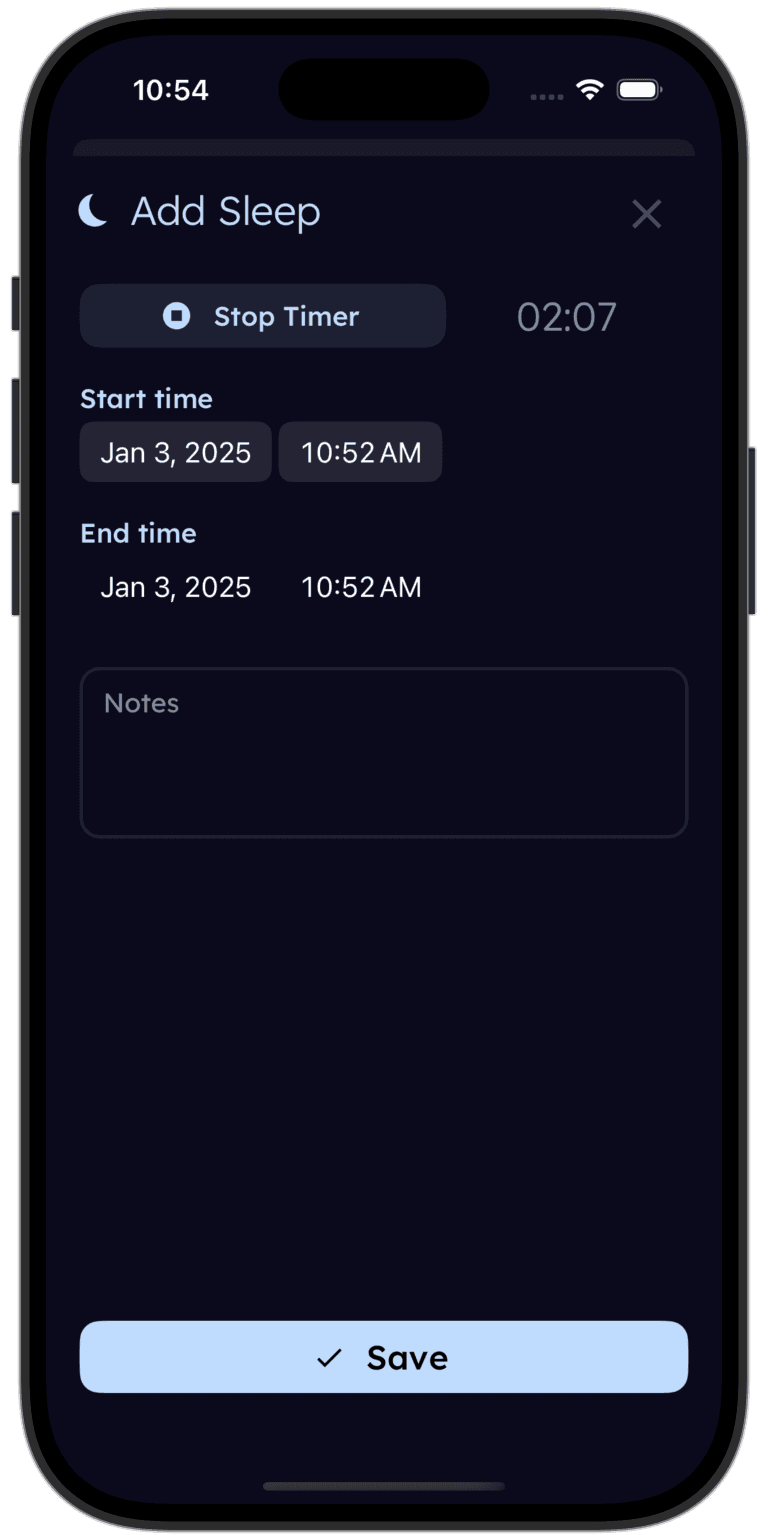
Tinylog tracks sleep so you can spot what the camera misses.
Log naps, overnight stretches, and wake windows. See trends over days and weeks. Bring the data to your next pediatrician visit — no subscription needed.


Security and Privacy: A Real Difference
This is not a theoretical concern. Wi-Fi baby monitors have been hacked. It has made the news more than once. Any device connected to the internet is, by definition, accessible from the internet — and that includes smart baby monitors.
CuboAi Gen 3 uses AES 256-bit encryption and GDPR-compliant data handling. No major security breaches have been publicly reported. But the camera feed does travel through cloud servers, and the app requires an account with your email.
HelloBaby HB32W uses a closed FHSS radio signal. The video feed never touches the internet. There is no account, no cloud, no app, and no data stored anywhere except the live signal between camera and parent unit. It is physically impossible to hack remotely.
If privacy and security rank high on your list — and for a nursery camera, they probably should — the HelloBaby's closed system is inherently more secure. The tradeoff is that you lose all the smart features and remote access.
| Product | Typical Price | Subscription | Annual Cost |
|---|---|---|---|
| CuboAi Gen 3 (camera + floor stand) | $200–$260 | Optional: ~$50/yr | ~$200–$310 (first year) |
| CuboAi Gen 3 (camera + floor stand, free tier only) | $200–$260 | $0 | ~$200–$260 (one-time) |
| HelloBaby HB32W (camera + parent unit) | $45–$65 | $0 | ~$45–$65 (one-time) |
Cost: Not Even Close
The price gap here is significant. A HelloBaby HB32W runs about $45–$65 and that is the entire cost. No subscription, no add-ons, no ongoing fees. You buy it once and you are done.
The CuboAi Gen 3 starts around $200–$260 for the camera and stand. The core AI alerts are free, which is genuinely great — but if you want video playback history and sleep analytics, the premium plan adds another $50 per year.
Over two years of use:
- HelloBaby HB32W: ~$55 total
- CuboAi Gen 3 (free tier): ~$230 total
- CuboAi Gen 3 (premium): ~$330 total
That is a $175–$275 gap. For some families, the AI safety alerts easily justify that. For others, the HelloBaby does what they actually need and the savings go toward diapers, formula, or the emergency coffee fund.
Choose CuboAi Gen 3 If
- You want AI-powered covered-face and rollover alerts watching your baby
- Remote viewing from work or while traveling matters to you
- You want a wide-angle 1080p camera with sharp day and night image quality
- Danger zone detection is useful as your baby starts crawling and climbing
- You are okay using your phone as the monitor screen
- You have reliable home Wi-Fi and want smart features without a pricey subscription
Choose HelloBaby HB32W If
- You want a monitor that works instantly — plug in and go, no app or Wi-Fi needed
- Budget is a real factor and you do not want to spend $200+ on a camera
- You prefer a dedicated parent unit you can grab off the nightstand without unlocking your phone
- Internet reliability is spotty in your home or you travel often to places without Wi-Fi
- Security and privacy are top priorities — no cloud, no hackable connection
Where to Buy
If you want AI-powered safety alerts and a sharp 1080p feed you can check from anywhere, the CuboAi Gen 3 (~$230 for the camera + stand) is a strong pick. Covered-face detection, rollover alerts, and danger zone monitoring are all included without a subscription — which is more than you can say for most smart monitors at this price point.
If you want a monitor that works out of the box with no Wi-Fi, no app, and no ongoing costs, the HelloBaby HB32W (~$55) does exactly what a baby monitor needs to do. The dedicated parent unit is always on, always ready, and never needs a software update. For families on a budget or anyone who values simplicity, it is hard to argue with.
There is no wrong answer here. The "best" monitor is the one you will actually use consistently — whether that is a smart AI system or a simple screen on your nightstand.
Tinylog earns a small commission on purchases made through these links, at no cost to you.
Tip: check promo.new before purchasing. It's hit or miss depending on the product, but when it hits, you'll be glad you checked.
The Bottom Line
The CuboAi Gen 3 and HelloBaby HB32W are not really competitors — they are different tools for different needs.
CuboAi Gen 3 wins on image quality, AI safety alerts, remote access, and smart features. It is the better choice for parents who want the camera to actively watch for hazards and who value being able to check in from anywhere.
HelloBaby HB32W wins on simplicity, reliability, privacy, travel-friendliness, and price. It is the better choice for families who want a no-fuss video feed that works every single time without depending on Wi-Fi or a phone.
If your budget allows it and you have solid home Wi-Fi, the CuboAi's covered-face and rollover alerts offer genuine peace of mind that a basic monitor cannot match. If you want something affordable and bulletproof, the HelloBaby gets the job done for a fraction of the price.
If you are tracking your baby's sleep — and you probably should be in the first year — Tinylog works alongside either monitor to help you log patterns and share data with your pediatrician.
Related Guides
- Baby Sleep Safety — Safe sleep guidelines and reducing SIDS risk
- Baby Sleep Regression — When sleep falls apart and what to do about it
- Nanit Pro vs. CuboAi Gen 3 — Two premium smart monitors compared head to head
- Baby Feeding Chart — How much your baby should eat by age
Sources
- CuboAi.com. "CuboAi Gen 3 Smart Baby Monitor — Product Information." 2026.
- HelloBaby. "HelloBaby HB32W Video Baby Monitor — Product Specifications." hellobaby.com, 2026.
- Wirecutter (NYT). "The Best Baby Monitors." nytimes.com/wirecutter, 2026.
- BabyGearLab. "Best Baby Monitor Reviews." babygearlab.com, 2026.
- American Academy of Pediatrics. "Safe Sleep Recommendations." aap.org, 2024.
- Consumer Reports. "Best Baby Monitors From Our Tests." consumerreports.org, 2026.
This guide is for informational purposes only. Baby monitor choice depends on your family's specific needs and nursery setup. Always follow AAP safe sleep guidelines regardless of which monitor you use.
Frequently asked questions
- Does the CuboAi Gen 3 require a subscription?
- No — not for the core features. Covered-face alerts, rollover alerts, danger zone detection, cry detection, and live HD streaming all work without a subscription. CuboAi offers an optional premium plan (~$50/year) that adds 18-hour video playback history and sleep analytics.
- Does the HelloBaby HB32W connect to Wi-Fi or an app?
- No. The HelloBaby HB32W uses a closed FHSS 2.4 GHz connection between the camera and the dedicated parent unit. There is no Wi-Fi, no app, and no cloud. This means no remote viewing from outside the house, but it also means no hacking risk and no dependence on your internet connection.
- Which monitor has better night vision?
- Both have automatic infrared night vision. The CuboAi Gen 3 produces a noticeably sharper night image thanks to its 1080p sensor and enhanced low-light processing. The HelloBaby HB32W night vision is perfectly usable — you can see your baby clearly — but with less detail due to its lower VGA resolution.
- Can I view the CuboAi Gen 3 from outside the house?
- Yes. Because the CuboAi Gen 3 connects via Wi-Fi, you can view the live feed and receive push notification alerts from anywhere through the CuboAi app. The HelloBaby HB32W only works within radio range of the parent unit, typically 150–250 feet inside a home.
- Is the HelloBaby HB32W safe from hackers?
- Yes. Because the HelloBaby HB32W uses a closed FHSS radio signal with no internet connection, it cannot be accessed remotely by anyone. Wi-Fi monitors, including the CuboAi Gen 3, rely on encrypted cloud connections and are theoretically more vulnerable — though CuboAi uses AES 256-bit encryption and no major breaches have been reported.
- Which monitor is better for travel?
- The HelloBaby HB32W is easier to travel with — just plug in the camera and turn on the parent unit. No Wi-Fi setup, no app configuration, no network troubleshooting. The CuboAi Gen 3 requires a Wi-Fi connection at your destination, which can be frustrating in hotels or vacation rentals with restricted networks.