
GUIDE
Nanit Pro vs. CuboAi Gen 3
Published on
Both are top-tier smart baby monitors with HD video and sleep analytics. Nanit Pro offers superior sleep tracking and breathing wear integration. CuboAi Gen 3 leads with AI-powered safety alerts and no required subscription for core features.
Nanit Pro and CuboAi Gen 3 are two of the most popular smart baby monitors on the market — and they take very different approaches. Nanit bets on sleep science and wearable integration. CuboAi bets on computer vision and covered-face detection. For most families, either will work well. The real differences are in subscription costs, alert types, and what data matters most to you.
Log naps, wake windows, and overnight stretches
Two Smart Monitors, Two Very Different Philosophies
Nanit Pro and CuboAi Gen 3 both sit at the top of the smart baby monitor market, but they solve different problems. Nanit built its reputation on sleep science — detailed analytics, breathing wear integration, and room environment tracking. CuboAi built its reputation on AI-powered safety — covered-face detection, rollover alerts, and danger zone monitoring.
Both stream in 1080p HD. Both have two-way audio. Both connect to your phone. The stuff that actually separates them is what happens with the data after the camera captures it.
Here is what we found after comparing specs, subscription costs, real parent feedback, and hands-on testing data.
| Feature | Nanit Pro | CuboAi Gen 3 | What It Means |
|---|---|---|---|
| Manufacturer | Nanit (acquired by Nateo) | CuboAi (by Yun Yun AI Baby) | Nanit is the bigger brand in the US market. CuboAi has a strong following in Asia and is growing fast stateside. |
| Camera resolution | 1080p HD | 1080p HD with 135° wide-angle lens | Both are 1080p. CuboAi has a wider field of view, which means less fussing with camera placement. |
| Mounting | Wall-mounted (overhead, bird's-eye view) | Floor stand, wall mount, or crib mount | CuboAi is more flexible. Nanit's overhead mount is great but requires wall drilling above the crib. |
| Sleep tracking | Detailed sleep analytics with sleep score, motion tracking, and room conditions | Basic sleep analytics (premium plan only) | Nanit wins here. Sleep reports are deep, actionable, and backed by pediatric sleep research. |
| Breathing monitoring | Yes — via Breathing Wear (sold separately, ~$25–$40) | No | Nanit is the only option if breathing monitoring matters to you. No wearable sensor touches the baby — it uses camera-based detection. |
| Safety alerts | Cry detection, motion alerts, room temperature/humidity | Covered-face alert, rollover alert, danger zone alert, cry detection, temperature/humidity | CuboAi wins on safety alerts. Covered-face and danger zone detection are real standouts. |
| Two-way audio | Yes | Yes | Tie. Both let you talk to your baby through the app. |
| Night vision | Infrared, clear image | Infrared with enhanced low-light sensor | Both perform well in total darkness. Very minor edge to CuboAi in low-light clarity. |
| Subscription required | Free tier is very limited — most smart features require Nanit Insights ($100/yr) | Core AI alerts included free — premium plan optional ($50/yr) | CuboAi gives you more out of the box. Nanit's best features are locked behind a paywall. |
| Smart home integration | Alexa, Google Home (limited) | Alexa, Google Home | Roughly equal. Neither has deep smart home integration — these are standalone systems. |
| Data privacy | AES 256-bit encryption, SOC 2 compliant | AES 256-bit encryption, GDPR compliant | Both take privacy seriously. Nanit has SOC 2 certification; CuboAi emphasizes GDPR compliance. |
Sleep Tracking: Nanit's Strongest Card
If you care about understanding your baby's sleep patterns, Nanit Pro is hard to beat. The app generates a nightly sleep score, tracks total sleep time, number of wakings, and how long it took your baby to fall asleep. It also logs room temperature, humidity, and ambient light — all factors that affect sleep quality.
CuboAi Gen 3 offers basic sleep summaries, but only on their premium plan. The reports are thinner and less actionable than what Nanit delivers. If you are the kind of parent who wants to know exactly how many hours of overnight sleep your baby got (and whether the room was too warm), Nanit is the clear winner in this category.
That said, you can track sleep patterns yourself with a logging app. Tools like Tinylog let you log naps, overnight sleep, and wake windows — and that data travels with you if you ever switch monitors.
Safety Alerts: Where CuboAi Pulls Ahead
CuboAi Gen 3 uses computer vision AI to detect things most monitors cannot. The standout features:
- Covered-face alert: Detects when a blanket, stuffie, or pillow covers your baby's face and sends an immediate push notification.
- Rollover alert: Notifies you when your baby rolls onto their stomach — especially useful before they can roll back independently.
- Danger zone alert: You draw virtual boundaries in the app, and the camera alerts you when your baby crosses them. Great for crawlers and early walkers.
Nanit Pro has cry detection and motion alerts, which are solid but more basic. It does not offer covered-face or danger zone detection. The breathing monitoring via Breathing Wear is impressive, but it requires a separate purchase and only works while the baby wears the specific garment.
If safety alerts are your primary reason for buying a smart monitor, CuboAi offers more out of the box.
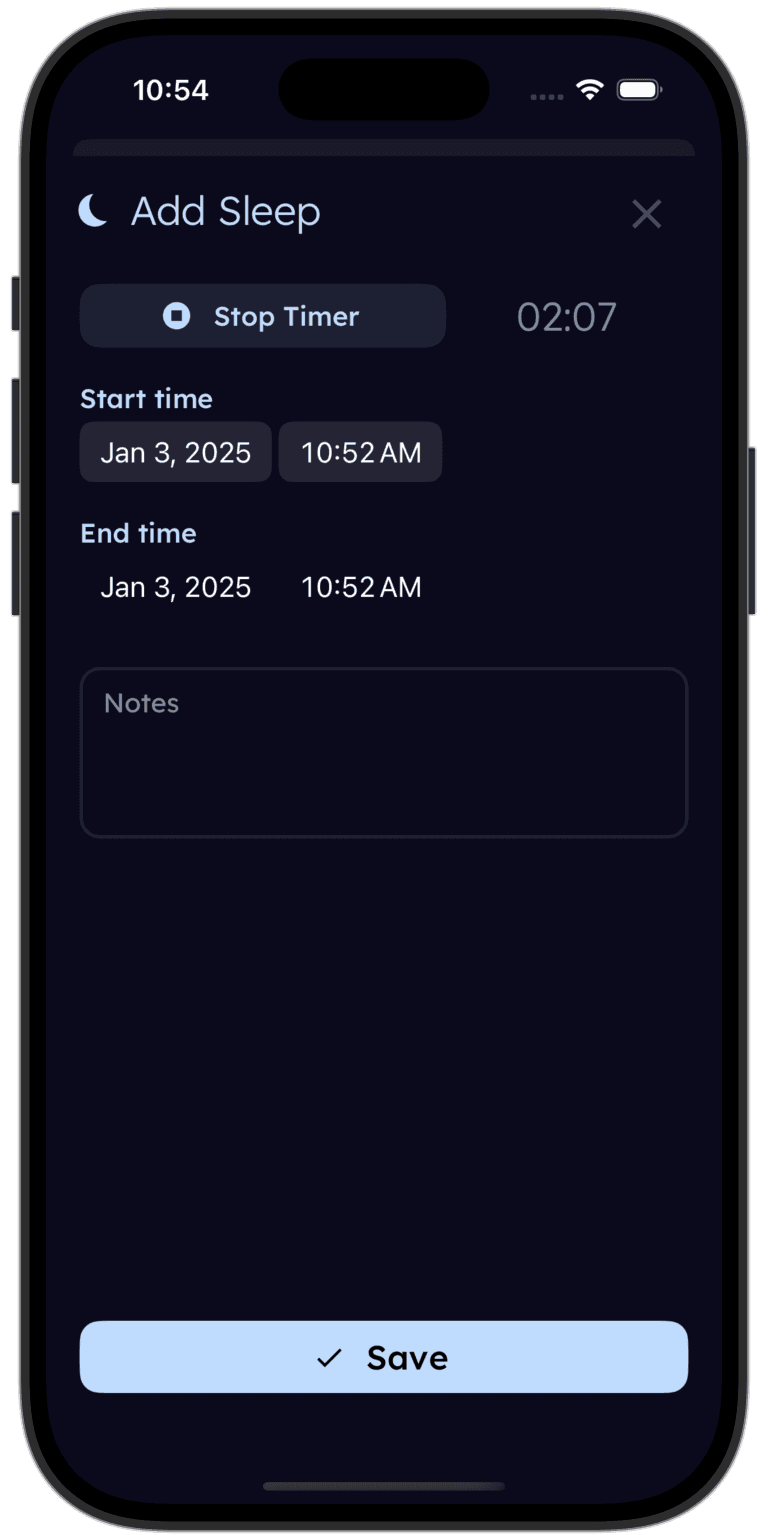
Tinylog tracks sleep so you can spot patterns.
Log naps, overnight stretches, and wake windows. See trends over days and weeks. Bring the data to your next pediatrician visit.


The Subscription Problem
This is where the conversation gets real. Smart monitors are not just a one-time purchase — the ongoing costs matter.
Nanit Pro locks most of its best features behind the Nanit Insights subscription. Without it, you get a basic 1080p video feed with two-way audio. No sleep tracking. No background audio. No video history. No breathing motion data. The subscription costs about $100/year or $10/month.
CuboAi Gen 3 includes all of its AI safety alerts — covered-face, rollover, danger zone, cry detection — for free. No subscription required. Their optional premium plan ($50/year) adds 18-hour video playback, time-lapse, and enhanced sleep analytics.
The total cost of ownership over two years looks something like this:
- Nanit Pro + subscription: $200 (camera) + $200 (two years of Insights) = ~$400
- CuboAi Gen 3 (free tier): $230 (camera) + $0 = ~$230
- CuboAi Gen 3 (premium): $230 (camera) + $100 (two years of premium) = ~$330
That is a meaningful difference, especially when you are already spending on diapers, formula, and everything else.
| Product | Typical Price | Subscription | Monthly Cost |
|---|---|---|---|
| Nanit Pro Camera + Wall Mount | $200–$250 | Nanit Insights: ~$100/yr | ~$8–$10/mo (subscription) |
| Nanit Pro Complete Bundle (camera + Breathing Wear + stand) | $300–$380 | Nanit Insights: ~$100/yr | ~$8–$10/mo (subscription) |
| CuboAi Gen 3 (camera + floor stand) | $200–$260 | Premium plan: ~$50/yr (optional) | ~$0–$5/mo (optional subscription) |
Setup and Day-to-Day Use
Nanit Pro mounts on the wall above the crib, looking straight down. The bird's-eye view is great for sleep tracking accuracy, but installation requires drilling into the wall. If you are renting or do not want to modify your walls, the optional floor stand ($60–$80) is an alternative. The app is polished and well-designed.
CuboAi Gen 3 comes with a floor stand and can also be wall-mounted or attached to the crib rail. More flexibility for different room setups. The app is clean and functional, though the interface feels slightly less refined than Nanit's.
Both monitors connect over 2.4GHz WiFi and stream to iOS and Android. Both support multiple caregivers on one account. Neither has a dedicated handheld parent unit — your phone is the monitor.
One thing worth mentioning: because both rely on WiFi and your phone, you will want a solid router and a phone that stays charged. A WiFi dead spot in the nursery will make either monitor useless. If your nursery is far from your router, consider a mesh WiFi system before spending on a fancy camera.
Both apps send push notifications for alerts, and both can run in the background while you use other apps. Response time for alerts is generally under 10 seconds on a good connection.
Choose Nanit Pro If
- Sleep tracking is your top priority and you want detailed nightly reports
- You want breathing monitoring without a wearable sensor on your baby
- You prefer the clean overhead bird's-eye view of the crib
- You don't mind paying for a subscription to unlock the best features
- You want a monitor backed by peer-reviewed pediatric sleep research
Choose CuboAi Gen 3 If
- You want covered-face and rollover alerts out of the box
- You prefer not to pay an ongoing subscription for core safety features
- You need flexible mounting options (floor stand, wall, or crib rail)
- Danger zone detection matters to you as your baby starts moving
- You want a wider-angle lens to see more of the room
- Budget is a factor and you want the lower total cost of ownership
Where to Buy
If sleep data is what you are after, the Nanit Pro (~$220 for the camera) delivers the most detailed sleep analytics of any baby monitor on the market. The breathing wear integration is a unique feature no competitor matches. Just factor in the $100/year subscription for the full experience.
If you want strong AI safety alerts without an ongoing bill, the CuboAi Gen 3 (~$230 for the camera + stand) is the better value. Covered-face detection, rollover alerts, and danger zone monitoring are all included free. The optional premium plan is half the cost of Nanit's subscription.
Whichever you pick, both are a massive upgrade over a basic audio monitor. You are getting real peace of mind either way.
Tinylog earns a small commission on purchases made through these links, at no cost to you.
Looking for a discount? Try checking promo.new. It doesn't always find what you're looking for, but when it does, it works like a charm.
The Bottom Line
Both the Nanit Pro and CuboAi Gen 3 are premium smart monitors that do their jobs well. The differences come down to what you value most:
Nanit Pro wins on sleep tracking depth, breathing monitoring, and the polished overhead camera view. It is the better choice for data-driven parents who want to optimize their baby's sleep environment.
CuboAi Gen 3 wins on safety alert variety, subscription value, and mounting flexibility. It is the better choice for parents who want covered-face and danger zone detection without paying a monthly fee.
For most families, the honest advice is this: pick the one that solves the problem you actually have. If your baby is a rough sleeper and you want data to share with your pediatrician, Nanit. If you want peace of mind that the camera will catch a blanket over the face or a crib escape, CuboAi.
If you are logging your baby's sleep — and you probably should be in the early months — Tinylog works alongside either monitor to help you track patterns and share data with your pediatrician.
Related Guides
- Baby Sleep Safety — Safe sleep guidelines and reducing SIDS risk
- Baby Sleep Regression — When sleep falls apart and what to do about it
- 4-Month-Old Sleep Schedule — How much sleep your baby needs at 4 months
- Baby Feeding Chart — How much your baby should eat by age
Sources
- Nanit.com. "Nanit Pro Smart Baby Monitor — Product Information." 2026.
- CuboAi.com. "CuboAi Gen 3 Smart Baby Monitor — Product Information." 2026.
- Wirecutter (NYT). "The Best Baby Monitors." nytimes.com/wirecutter, 2026.
- BabyGearLab. "Best Baby Monitor Reviews." babygearlab.com, 2026.
- American Academy of Pediatrics. "Safe Sleep Recommendations." aap.org, 2024.
- Consumer Reports. "Best Baby Monitors From Our Tests." consumerreports.org, 2026.
This guide is for informational purposes only. Baby monitor choice depends on your family's specific needs and nursery setup. Always follow AAP safe sleep guidelines regardless of which monitor you use.
Frequently asked questions
- Does the Nanit Pro require a subscription?
- Nanit Pro works as a basic video monitor without a subscription. However, sleep tracking, background audio, video history, and breathing motion monitoring all require a Nanit Insights subscription starting at around $10/month or $100/year. Without it, you lose most of the smart features that justify the price.
- Does CuboAi Gen 3 require a subscription?
- CuboAi Gen 3 includes covered-face alerts, danger zone alerts, cry detection, and live HD streaming for free — no subscription needed. Their optional premium plan adds features like 18-hour video playback history and sleep analytics for around $5/month or $50/year.
- Which monitor has better night vision?
- Both offer excellent night vision with infrared LEDs. CuboAi Gen 3 uses a slightly wider lens with enhanced low-light performance, while Nanit Pro provides a sharp overhead view. In practice, both produce clear images in a pitch-dark room.
- Can I use Nanit Pro or CuboAi Gen 3 with two cameras?
- Yes. Both systems support multiple cameras on a single account. Nanit allows you to add additional cameras and switch between rooms in the app. CuboAi Gen 3 similarly supports multi-camera setups. Both charge full price for each additional camera.
- Which monitor is better for tracking breathing?
- Nanit Pro tracks breathing motion through its proprietary Breathing Wear band or pajamas (sold separately) using computer vision — no sensor touches the baby. CuboAi Gen 3 does not offer breathing monitoring. If breathing tracking matters to you, Nanit is the clear choice.
- Do these monitors work when the internet goes out?
- Neither monitor works fully without WiFi. Nanit Pro loses all smart features but can still stream locally over your home network in some configurations. CuboAi Gen 3 has a local streaming fallback mode so you can still view the feed on your phone over your local network. Both require internet for alerts, cloud features, and remote viewing.