
GUIDE
Infant Optics DXR-8 PRO vs. Babysense MaxView
Published on
Both are solid dedicated baby monitors with no WiFi required. The DXR-8 PRO has interchangeable lenses and a proven track record. The MaxView offers 1080p resolution and split-screen for less money.
Dedicated (non-WiFi) baby monitors are back in a big way — no app crashes, no hacking risks, no buffering. These two are the most popular options on the market right now, and choosing between them mostly comes down to what you care about more: optical flexibility or raw video quality.
Log naps, wake windows, and overnight stretches
Two Great Monitors, One Real Decision
The Infant Optics DXR-8 PRO and the Babysense MaxView 1080p are two of the most popular dedicated baby monitors you can buy right now. Neither needs WiFi. Neither has an app you need to log into. You turn them on and they work — which, honestly, is exactly what you want from a device you'll be staring at in the dark at 2 AM.
The short version: the DXR-8 PRO gives you optical flexibility with its swappable lenses, and the MaxView gives you more pixels and split-screen for less money. Both are reliable, both have good range, and both will let you watch your baby sleep (and breathe — we all do it) without any WiFi drama.
The longer version is below. We compared specs, pricing, and the stuff that actually matters when you're a tired parent trying to pick a monitor.
| Feature | DXR-8 PRO | Babysense MaxView | What It Means |
|---|---|---|---|
| Display resolution | 720p on 5-inch screen | 1080p on 5-inch screen | MaxView has a sharper image. Noticeable side by side, though 720p is still plenty clear. |
| Interchangeable lenses | Yes — normal, wide-angle, and optical zoom lenses | No — fixed wide-angle lens | This is the DXR-8 PRO's killer feature. Swap lenses to match different room sizes without moving the camera. |
| Connection type | FHSS dedicated wireless (no WiFi) | FHSS dedicated wireless (no WiFi) | Tie. Both are closed-circuit systems with no internet dependency or hacking risk. |
| Range | Up to 1,000 ft (line-of-sight) | Up to 960 ft (line-of-sight) | Essentially the same. Real-world range through walls is 150–300 ft for both. |
| Night vision | Infrared, clear at 720p | Infrared, clear at 1080p | Both produce a sharp black-and-white image. MaxView captures slightly more detail in the dark. |
| Pan / tilt / zoom | Remote pan, tilt, and optical zoom (with zoom lens) | Remote pan, tilt, and 2x/4x digital zoom | DXR-8 PRO's optical zoom is cleaner than digital zoom. MaxView's digital zoom gets grainy up close. |
| Split-screen | No — single camera view only | Yes — dual camera split-screen | MaxView wins if you're monitoring two rooms at once. Huge deal for parents with a toddler and a newborn. |
| Multi-camera support | Up to 4 cameras | Up to 4 cameras | Tie. Both let you add cameras for additional rooms. |
| Temperature sensor | Yes — displays on parent unit | Yes — displays on parent unit | Tie. Both show the room temperature on the monitor screen. Accuracy is ballpark, not medical-grade. |
| Two-way talk | Yes | Yes | Tie. Both let you talk to your baby through the parent unit. Audio quality is decent on both. |
| Battery life (parent unit) | ~8–10 hours (screen off, sound only) | ~8–10 hours (screen off, sound only) | Tie. Both last through the night in audio-only mode. With the screen on, expect 3–4 hours. |
The Lens Thing — Why It Actually Matters
The DXR-8 PRO's interchangeable lens system is the main reason people pay more for it. Here's why that matters in real life.
Most baby monitors have a fixed wide-angle lens. It works fine in a standard nursery. But if your crib is across a large room, or you want to zoom in tight on your baby's face without losing image quality, a wide-angle lens isn't ideal. Digital zoom (what the MaxView uses) just crops and enlarges the image — it gets blurry fast.
Optical zoom (what the DXR-8 PRO offers with its zoom lens attachment) physically adjusts the glass. The image stays sharp. You can also swap to a wide-angle lens when you want to see the whole room, or go back to the standard lens for a balanced view.
If you only ever put the camera in one spot in a standard-size nursery, you probably don't need this feature. But if you travel, move the camera between rooms, or want close-up detail without blur, it's genuinely useful.
One more thing about the lenses: they're tiny and magnetic, so swapping takes about two seconds. You don't need to unmount the camera or fiddle with screws. Pop one off, snap the other on. It's surprisingly well-designed for something you might do in the dark while half-asleep.
Video Quality: 720p vs. 1080p on a 5-Inch Screen
The MaxView shoots at 1080p. The DXR-8 PRO shoots at 720p. On a 5-inch screen, the difference is visible but not dramatic. You'll notice it most when zooming in digitally or in night vision mode, where extra resolution helps you see details like whether your baby's eyes are open or closed.
Is 1080p worth choosing the MaxView over the DXR-8 PRO on its own? Probably not. But combined with the lower price and split-screen, it adds up to a strong package.
For what it's worth, both monitors produce a clear enough image that you can see your baby breathing from across the room. That's the bar, and both clear it easily.
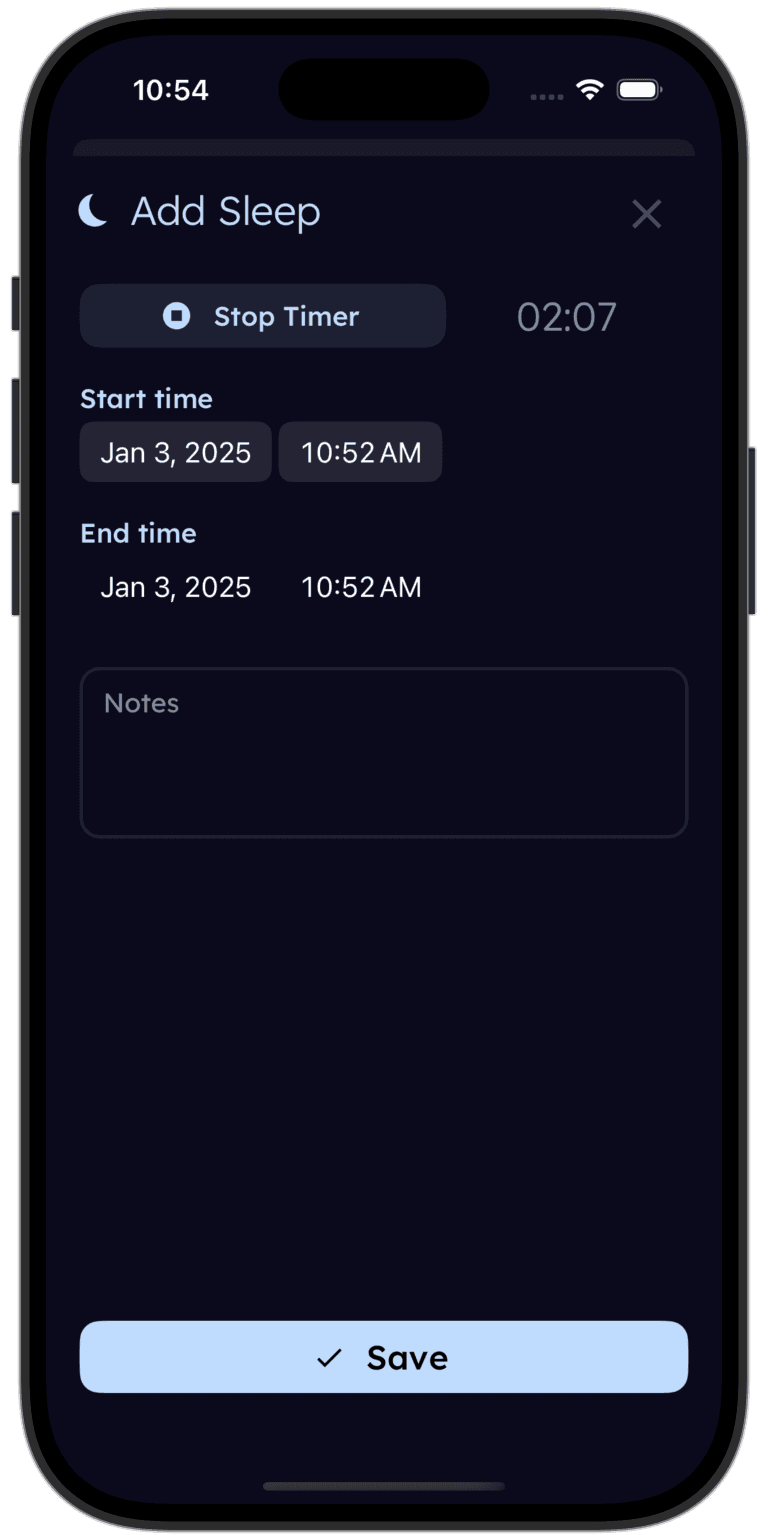
Staring at the baby monitor and wondering "was that last feed an hour ago or three?" Tinylog knows.
Log feeds, diapers, and sleep in a few taps. When you're running on fumes, the app remembers so you don't have to.


Split-Screen: The Underrated Feature
If you have two kids in different rooms — or you want to monitor the nursery and the playroom — the MaxView's split-screen is a big deal. You can see both camera feeds on the parent unit at the same time without cycling between them.
The DXR-8 PRO supports multiple cameras but only displays one feed at a time. You can tap a button to switch between them, but you can't watch both simultaneously. For families with one baby, this doesn't matter. For families with a toddler and a newborn, the MaxView's split-screen alone could be the deciding factor.
Worth noting: the split-screen does make each camera's image smaller (obviously). On a 5-inch screen, two feeds at once is usable but not huge. You'll still be able to see your kids clearly, but you won't be zooming into fine details in split mode.
| Product | Typical Price | Notes | |
|---|---|---|---|
| Infant Optics DXR-8 PRO (single camera kit) | $179–$199 | — | One-time purchase |
| Infant Optics add-on lens (wide-angle or zoom) | $10–$16 each | — | One-time purchase |
| Babysense MaxView (single camera kit) | $129–$149 | — | One-time purchase |
| Babysense MaxView (two-camera kit) | $179–$199 | — | One-time purchase |
Price: A $50 Gap That Matters
The DXR-8 PRO typically runs $179–$199 for the single camera kit. The MaxView runs $129–$149 for a single camera — and the two-camera bundle is the same price as the DXR-8 PRO single camera.
That's a meaningful difference. For the cost of one DXR-8 PRO camera, you can get two MaxView cameras with split-screen capability. If you need coverage in multiple rooms, the MaxView's value proposition is hard to argue with.
The DXR-8 PRO also has the ongoing (small) cost of extra lenses at $10–$16 each if you want the wide-angle or zoom. Not a dealbreaker, but worth knowing.
One money-saving tip: both monitors show up frequently on Amazon deal days and during baby sales at Target. If you're not in a rush, set a price alert. You can often save $20–$30 by timing your purchase around Prime Day, Black Friday, or registry completion discounts.
Choose the Infant Optics DXR-8 PRO If
- You want the ability to swap lenses for different room setups without moving the camera
- Optical zoom matters to you — it stays sharp when you zoom in, unlike digital zoom
- You plan to move the monitor between the nursery, living room, and travel
- You value the Infant Optics brand track record (the original DXR-8 was the #1 baby monitor on Amazon for years)
- You prefer a slightly more compact camera unit
Choose the Babysense MaxView If
- You want the sharpest possible picture — 1080p looks noticeably better than 720p on a 5-inch screen
- You need split-screen to watch two kids in different rooms at the same time
- Budget matters and you want a great monitor for $50 less than the DXR-8 PRO
- You want the two-camera bundle for the same price as the DXR-8 PRO single camera kit
- You don't need swappable lenses — the fixed wide-angle works for your nursery setup
- You want a slightly larger field of view out of the box without buying extra lenses
Where to Buy
The Infant Optics DXR-8 PRO ($179–$199) is the monitor for parents who want optical flexibility and a brand with years of proven reliability. The interchangeable lens system is unlike anything else in this price range, and the build quality is excellent. Grab it on Amazon or direct from Infant Optics.
The Babysense MaxView 1080p ($129–$149) is the monitor for parents who want the sharpest picture, split-screen, and a lower price tag. The two-camera bundle is especially compelling if you need to monitor more than one room. Available on Amazon and most baby retailers.
Honestly, you won't regret either choice. Both are dedicated, non-WiFi monitors that just work — and "just works" is exactly what you need when the baby is crying and your phone has 4% battery.
Tinylog earns a small commission on purchases made through these links, at no cost to you.
We've found promo.new handy for finding discounts on baby gear. Doesn't always have what you need, but it's worth a shot.
The Bottom Line
The Infant Optics DXR-8 PRO and the Babysense MaxView are both excellent dedicated baby monitors. The differences are real but the choice is straightforward:
Infant Optics DXR-8 PRO wins on interchangeable lenses, optical zoom quality, brand track record, and portability between rooms.
Babysense MaxView wins on resolution, split-screen capability, price, and multi-camera value.
For a single nursery setup on a budget, the MaxView is the better deal. For parents who want the most flexible system that adapts to different rooms and situations, the DXR-8 PRO justifies its premium. Either way, you're getting a reliable monitor that doesn't depend on your home WiFi — and that peace of mind is worth every penny.
And honestly? The best baby monitor is the one that lets you relax enough to actually sleep when the baby sleeps. Both of these do that.
If you're tracking your baby's sleep patterns — which is genuinely helpful for figuring out nap schedules and wake windows — Tinylog makes it easy to log sleep and spot trends over time.
Related Guides
- Baby Sleep Chart — How much sleep your baby needs by age
- Baby Feeding Chart — How much your baby should eat by age
- 1-Month-Old Sleep Schedule — What to expect in the first month
- Sleep Training — Methods, timing, and what actually works
Sources
- Infant Optics. "DXR-8 PRO — Product Specifications." infantoptics.com, 2026.
- Babysense. "MaxView Split-Screen Baby Monitor — Product Information." babysensemonitor.com, 2026.
- BabyGearLab. "Best Baby Monitors of 2026." babygearlab.com, 2026.
- Wirecutter. "The Best Baby Monitors." nytimes.com/wirecutter, 2026.
- Consumer Reports. "Best Baby Monitors From Our Tests." consumerreports.org, 2026.
This guide is for informational purposes only. Product specifications and prices change over time. Always verify current specs and pricing before purchasing.
Frequently asked questions
- Does the Infant Optics DXR-8 PRO require WiFi?
- No. The DXR-8 PRO uses a dedicated FHSS wireless signal that connects directly from the camera to the parent unit. No WiFi, no app, no internet connection needed. This also means there's no risk of the feed being accessed remotely.
- Can the Babysense MaxView show two cameras at once?
- Yes. The MaxView supports up to four cameras and can display two of them simultaneously in split-screen mode on its 5-inch display. The DXR-8 PRO supports up to four cameras as well, but only shows one feed at a time.
- Which monitor has better night vision?
- Both use infrared night vision and produce a clear black-and-white image in the dark. The MaxView's 1080p sensor captures slightly more detail at night. The DXR-8 PRO's night vision is excellent but outputs at 720p. In practice, both show you plenty of detail to check on your baby.
- Is the Infant Optics DXR-8 PRO worth the higher price?
- It depends on what you value. The DXR-8 PRO's interchangeable lens system is genuinely unique — you can swap between a normal lens, a wide-angle lens, and an optical zoom lens without buying a new camera. If you plan to move the monitor between rooms with different layouts, that flexibility is worth the premium. If you just need one good camera in the nursery, the MaxView gives you more resolution for less money.
- How far is the range on these monitors?
- The DXR-8 PRO is rated for up to 1,000 feet line-of-sight. The MaxView is rated for up to 960 feet. In a real home with walls and floors in the way, expect 150–300 feet of usable range from either unit. Both will cover a typical house without issues.
- Do either of these monitors record video?
- Neither monitor records video out of the box. They are live-view monitors designed for real-time monitoring, not recording. If you need recording capability, you would need a WiFi-based camera system instead.