Protects your night vision
A bright screen in a dark room forces your eyes to adjust and readjust. Dark mode minimizes this shock, letting you log a feed and get back to sleep faster without staring at the ceiling waiting for your eyes to recover.
FEATURE
Dark mode gives you a dim, low-contrast interface that won't blast your eyes or light up the nursery during nighttime feeds and changes.
Because the last thing you need at 2 AM is a phone screen bright enough to wake the whole house.
You know the feeling: the baby wakes up at 2 AM for a feed. You reach for your phone to log it, and the screen lights up like a flashlight. Your eyes sting. The baby squints. The carefully maintained darkness of the nursery is ruined.
This happens multiple times a night, every night, for months. A dark interface isn't a nice-to-have — it's a necessity for any app you use during overnight care.
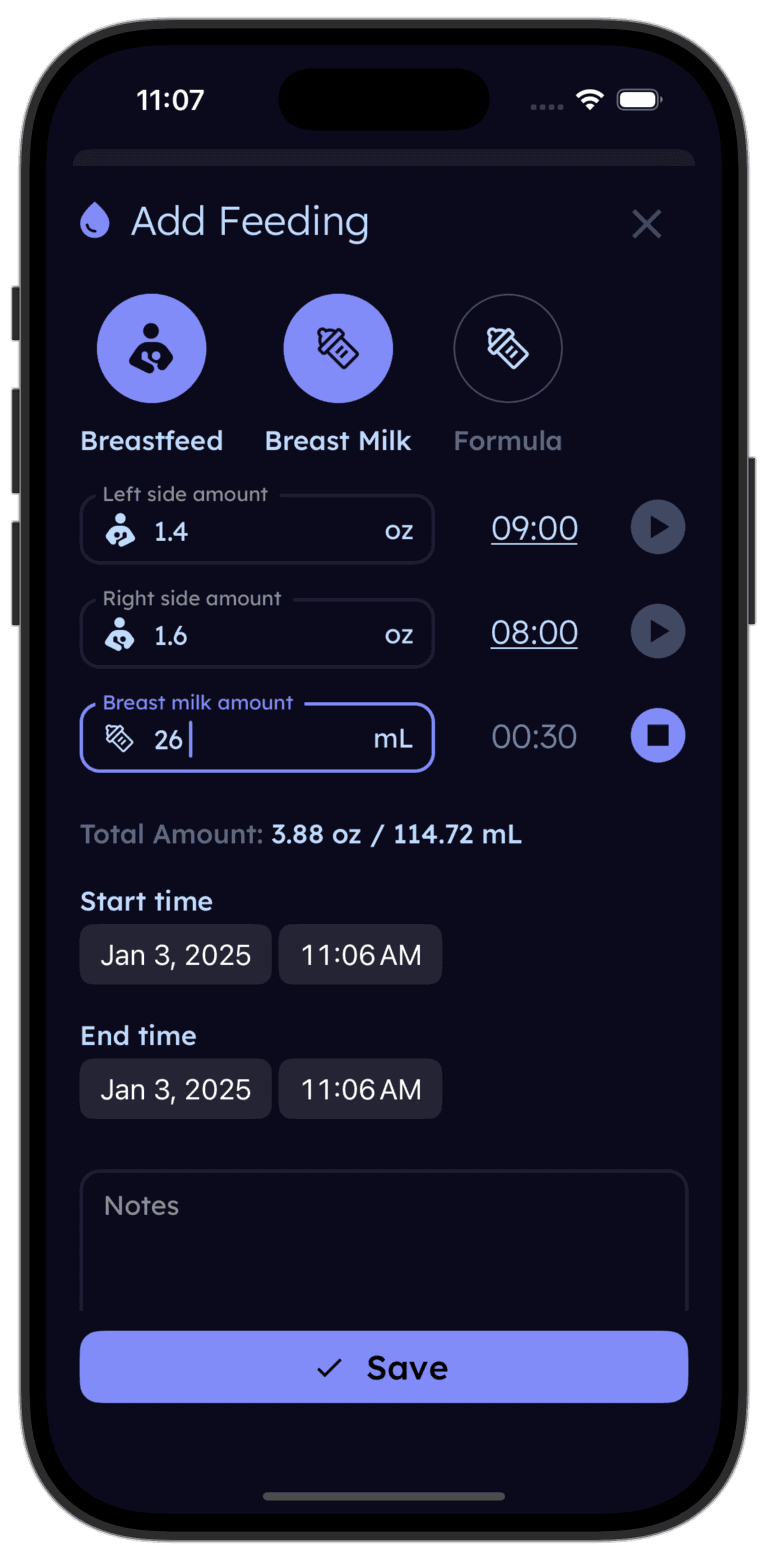
Tinylog's dark mode keeps your screen dim so you can log a 2 AM feed without lighting up the nursery or blinding yourself. Your eyes — and your baby — will thank you.


System-aware theming: Set Tinylog to follow your device's appearance setting. When your phone switches to dark mode at night, Tinylog switches too — automatically.
Manual override: Prefer dark mode all the time? Set it to always-on in the app. Prefer light mode during the day and dark at night? Let the system setting handle it.
Designed for real darkness: Tinylog's dark theme uses true dark backgrounds with carefully chosen contrast ratios. Text and buttons remain readable without being harsh — so you can find the right button at 2 AM without squinting.
A bright screen in a dark room forces your eyes to adjust and readjust. Dark mode minimizes this shock, letting you log a feed and get back to sleep faster without staring at the ceiling waiting for your eyes to recover.
Light from a phone screen can signal to your baby that it's wake-up time. A dim interface reduces ambient light in the room, helping maintain the sleep environment you've worked so hard to create.
You're using this app multiple times a day, every day, for months. A comfortable interface isn't a luxury — it's ergonomics. Dark mode reduces the cumulative strain of frequent screen checks.
Download Tinylog and switch to dark mode before bed. The next time your baby wakes up, you'll log the feed without squinting — and get back to sleep faster.
Dark mode pairs naturally with Tinylog's overnight tracking features: