
Side tracking (left/right)
You need to know which side you nursed on last. At 3 AM, you will not remember. A good tracker lets you tap L or R and moves on. If logging a feed takes more than 3 taps, you'll stop using it within a week.
GUIDE
Published on
Not all baby trackers understand breastfeeding. The best ones track sides, duration, pumping, and combo feeding — without making it complicated.
Breastfeeding parents need more than a generic feeding log. You need side tracking, pump session logging, and a way to see patterns across nursing, pumped bottles, and formula.
All-in-one baby tracker
General baby trackers treat feeding as one thing: baby ate. But breastfeeding is more nuanced than that. You're tracking supply, monitoring latch quality through session duration, alternating sides, and trying to figure out if your baby is getting enough — all while running on four hours of sleep. Here's what matters most.
You need to know which side you nursed on last. At 3 AM, you will not remember. A good tracker lets you tap L or R and moves on. If logging a feed takes more than 3 taps, you'll stop using it within a week.
Lactation consultants and pediatricians want to know how long baby nursed on each side — not just total session time. This helps assess whether baby is getting enough hindmilk and whether your supply is balanced between sides.
Pumping is not breastfeeding. It's its own thing with its own data: amount expressed, duration, which side, and whether you're building a stash or feeding fresh. A good tracker keeps pumping separate from nursing sessions so your totals make sense.
Is baby cluster feeding? Eating less on one side? Going longer stretches at night? You need to see patterns across days, not just individual sessions. A timeline view or daily summary makes this possible without a spreadsheet.
If you're combination feeding — nursing plus pumped bottles plus formula — you have the most complex tracking needs of any parent. And most apps don't handle this well, because they were designed for either breastfeeding or bottle feeding, not both.
Combo feeders juggle nursing, pumped bottles, and formula — sometimes all in the same day. If your tracker makes you choose between "breast" and "bottle" with no nuance, you're losing data. You need to log all three types and see them together.
When baby gets 10 minutes of nursing, a 2 oz pumped bottle, and a 3 oz formula bottle — what did they actually eat? A good tracker shows you the full picture so you're not guessing whether baby had enough.
If you're pumping and nursing, your supply picture gets complicated fast. Tracking pump output alongside nursing sessions helps you (and your lactation consultant) see whether supplementing is affecting your milk production.
For a deep dive on making combo feeding work, see our combination feeding guide.
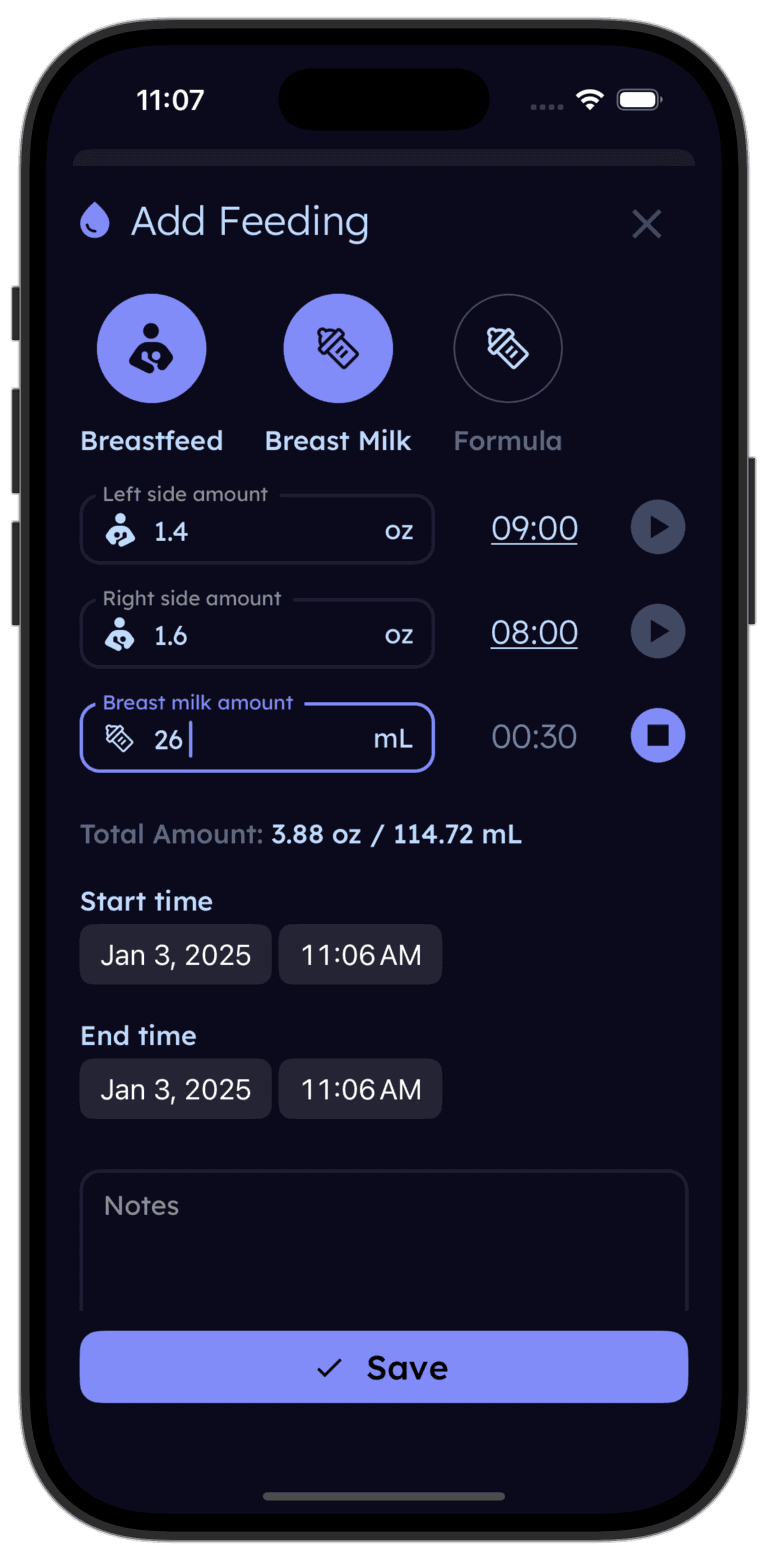
Log breastfeeding sessions with side tracking, record pump output, and add formula bottles — all in the same timeline. See daily totals for each type, spot patterns at a glance, and share your data with your partner or lactation consultant.


Breastfeeding isn't a solo sport — even though it can feel that way. Whether it's your partner handling a pumped bottle at night, a grandparent giving a formula top-up, or a lactation consultant reviewing your feeding patterns, other people need access to your data.
Real-time caregiver sync means your partner can check the app and see when baby last nursed, how long, and which side — without waking you up to ask. For night feed handoffs, it's the difference between a smooth handoff and a whispered argument. For more on splitting night duties, see our guide on splitting night feeds.
For lactation consultations, having a week of organized data beats trying to remember from memory. Session durations, side balance, pump output, supplementation amounts — it's all there, organized by day.
You'll use your feeding tracker 8-12 times a day in the early weeks. A few missing features add up to a lot of frustration over time.
Best Baby Tracker App — An honest comparison from parents
Best Free Baby Tracker App — What parents are using in 2026