
GUIDE
Nanit Pro vs. Babysense MaxView
Published on
These monitors serve very different needs. The Nanit Pro is a WiFi smart monitor with sleep analytics and breathing tracking. The Babysense MaxView is a dedicated non-WiFi monitor with 1080p video and split-screen. Your pick depends on whether you want data or simplicity.
The Nanit Pro and Babysense MaxView 1080p sit at opposite ends of the baby monitor spectrum. Nanit is all about smart features, sleep data, and app-based monitoring. The MaxView is about sharp video, zero WiFi dependency, and a dedicated parent unit you can carry around the house. Both are popular for good reasons — and choosing between them is really about deciding what kind of monitor parent you want to be.
Log naps, wake windows, and overnight stretches
A Smart Monitor vs. A Simple One — Here's the Real Tradeoff
The Nanit Pro and Babysense MaxView are not really competing against each other. They represent two completely different philosophies about baby monitoring. Nanit says: give me your WiFi, your phone, and a monthly subscription, and I will give you data, analytics, and breathing alerts. The MaxView says: here is a camera and a screen, they talk to each other, nothing else is involved.
Both approaches have real merit. The right choice depends on what you actually need from a baby monitor — and honestly, what kind of parent you are at 3 AM. Do you want to check sleep scores and room humidity? Or do you want to glance at a screen on your nightstand and go back to sleep?
We compared the specs, costs, and real-world usability so you can make the call that fits your family.
| Feature | Nanit Pro | Babysense MaxView | What It Means |
|---|---|---|---|
| Monitor type | WiFi smart monitor (phone app) | Dedicated non-WiFi monitor (parent unit) | Fundamentally different approaches. Nanit uses your phone. MaxView comes with its own screen. |
| Camera resolution | 1080p HD | 1080p HD | Tie on paper. MaxView's dedicated display avoids WiFi compression artifacts that can soften the Nanit feed. |
| Display | Your phone screen (via app) | Dedicated 5-inch parent unit | MaxView wins for convenience — no draining your phone battery. Nanit wins if you want to check in from work. |
| Sleep tracking | Detailed sleep analytics, sleep score, motion tracking, room conditions | None | Nanit wins by a mile. If sleep data matters to you, the MaxView simply does not offer it. |
| Breathing monitoring | Yes — via Breathing Wear (sold separately, ~$25–$40) | No | Unique to Nanit. Camera-based breathing detection with no sensor touching the baby. |
| WiFi required | Yes — 2.4GHz WiFi and internet connection | No — FHSS dedicated wireless signal | MaxView works anywhere with zero setup. Nanit is useless if your WiFi drops. |
| Split-screen | No | Yes — dual camera view on parent unit | MaxView wins for families monitoring two rooms at once. |
| Two-way audio | Yes (through the app) | Yes (through the parent unit) | Tie. Both let you talk to your baby. MaxView is faster since you do not need to unlock your phone first. |
| Remote viewing | Yes — view from anywhere with internet | No — parent unit range only (~960 ft) | Nanit wins for working parents or caregivers who want to check in from outside the house. |
| Subscription cost | ~$100/year for Nanit Insights (most features locked without it) | None — one-time purchase, no ongoing fees | MaxView has zero recurring costs. Nanit's subscription adds up over the years. |
| Security / privacy | AES 256-bit encryption, SOC 2 compliant, cloud-dependent | Closed-circuit FHSS — no internet, no cloud, no hacking risk | MaxView is inherently more secure. No data leaves your house. Nanit is well-encrypted but still cloud-based. |
| Setup difficulty | Wall mount (drilling required), app setup, WiFi pairing | Place camera, turn on parent unit, done | MaxView is plug-and-play. Nanit requires a proper installation and account creation. |
Sleep Tracking: The Feature That Justifies Nanit's Price Tag
If you are serious about understanding your baby's sleep, the Nanit Pro is in a different league. The app tracks total sleep time, number of wakings, time to fall asleep, and generates a nightly sleep score. It also logs room temperature, humidity, and ambient light — all factors that pediatric sleep consultants look at when troubleshooting sleep issues.
The Babysense MaxView does not track sleep at all. It is a video monitor, full stop. You watch the screen, you see your baby, and that is the extent of the data you get.
For parents who want to bring sleep data to their pediatrician, or who are trying to dial in nap schedules and wake windows, Nanit delivers genuinely useful information. But here is the catch: you can get similar sleep tracking by logging it yourself. Tools like Tinylog let you track naps, overnight sleep, and wake windows without needing a $200+ camera to do it.
The question is whether you want automatic tracking (Nanit) or are fine logging it manually (any good baby tracker app). If you are already going to be awake when the baby wakes, manual logging is pretty painless.
The WiFi Question: Convenience vs. Reliability
This is the real fork in the road.
Nanit Pro requires WiFi and an internet connection. When everything works, it is great — you can check on your baby from the office, get push notifications for cry detection, and review sleep data on your phone. When your WiFi hiccups, your router reboots, or your internet provider has an outage, you have no baby monitor. Period.
Babysense MaxView uses a closed-circuit FHSS wireless signal. No WiFi. No internet. No app. The camera talks directly to the parent unit over a dedicated frequency. It works during power outages (the parent unit runs on battery), internet outages, and in locations with no WiFi at all.
For parents who travel, visit grandparents, or rent vacation homes, the MaxView is dramatically easier. Walk in, plug in the camera, turn on the parent unit. Done. With the Nanit, you need to find the WiFi password, connect the camera to a new network, and hope the signal is strong enough in the room where the baby sleeps.
If you live in a house with rock-solid WiFi and rarely travel, this might not matter. But if your router is finicky or you move around a lot, the MaxView's reliability is a real advantage.
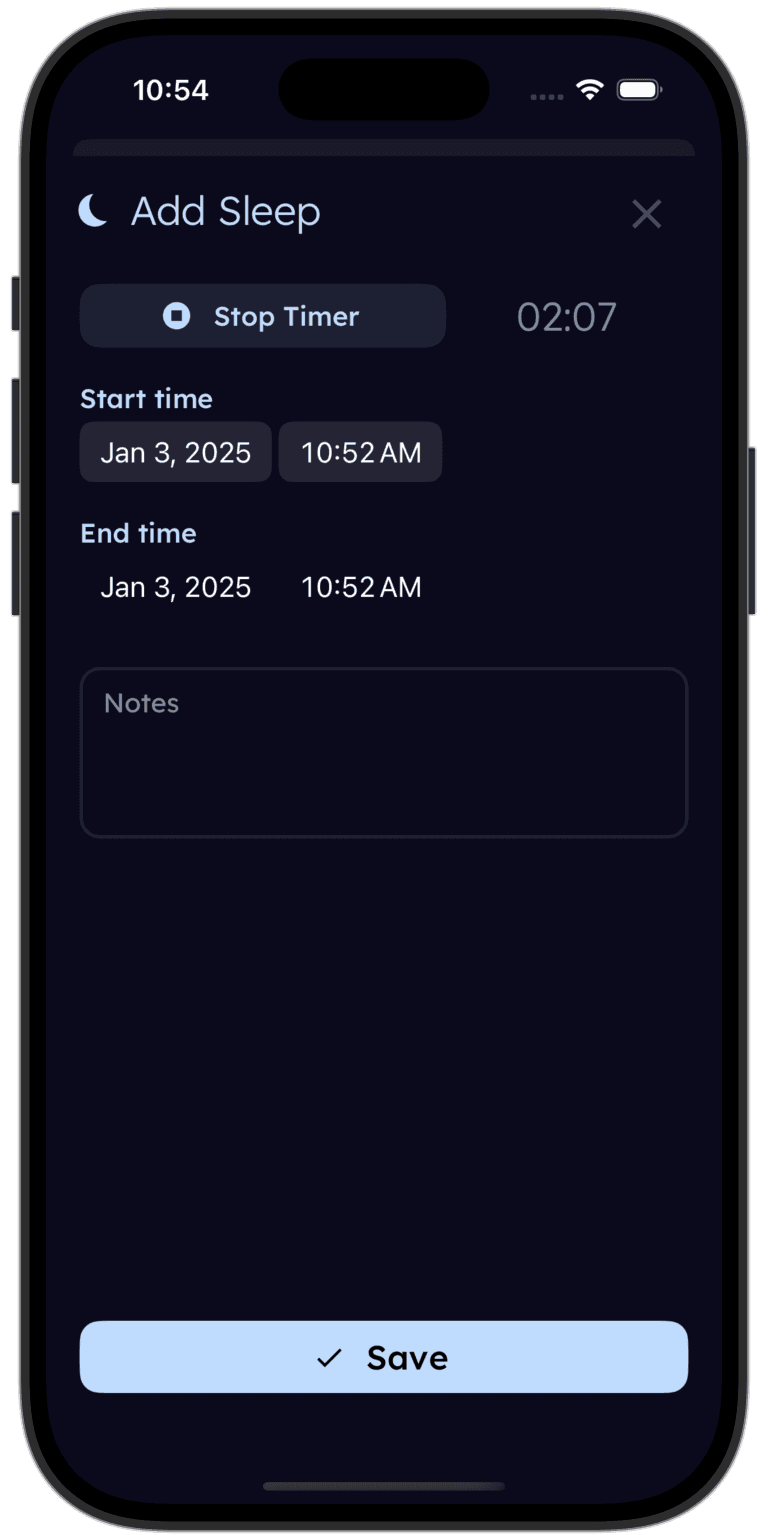
Tinylog tracks sleep so you can spot patterns — with or without a smart monitor.
Log naps, overnight stretches, and wake windows in a few taps. See trends over days and weeks. Works great alongside any baby monitor.


The Subscription Math Nobody Talks About
The Nanit Pro's upfront price is only part of the story. Without the Nanit Insights subscription (~$100/year), you lose sleep tracking, breathing motion alerts, background audio, and video history. What remains is a basic 1080p WiFi camera with two-way audio — something you could buy for $40 from a generic brand.
Over two years, here is what the math looks like:
- Nanit Pro (with subscription): $220 camera + $200 subscription = ~$420
- Nanit Pro Complete Bundle (with subscription): $340 bundle + $200 subscription = ~$540
- Babysense MaxView (single camera): $140 one-time = $140
- Babysense MaxView (two cameras): $190 one-time = $190
The MaxView costs less than half of what a fully-featured Nanit setup runs over two years. If you use the Nanit for a second child, the gap narrows because you keep the camera and just keep paying the subscription. But that is still $100/year, every year, for as long as you use it.
Neither monitor is a bad deal — they just serve different budgets and priorities.
| Product | Typical Price | Subscription | 2-Year Total |
|---|---|---|---|
| Nanit Pro Camera + Wall Mount | $200–$250 | Nanit Insights: ~$100/yr | ~$400–$450 |
| Nanit Pro Complete Bundle (camera + Breathing Wear + stand) | $300–$380 | Nanit Insights: ~$100/yr | ~$500–$580 |
| Babysense MaxView (single camera kit) | $129–$149 | None | $129–$149 |
| Babysense MaxView (two-camera kit) | $179–$199 | None | $179–$199 |
Security and Privacy: A Real Concern for WiFi Monitors
Any WiFi-connected camera in your baby's room is a potential security target. The Nanit Pro uses AES 256-bit encryption and is SOC 2 compliant, which is about as good as it gets for a consumer device. But it is still a cloud-connected camera streaming footage of your child over the internet. Data breaches happen. Accounts get compromised.
The Babysense MaxView sidesteps this entirely. No WiFi means no internet connection, no cloud storage, no account to hack, and no footage leaving your house. The FHSS signal between the camera and parent unit is encrypted and operates on a closed circuit. Someone would need to be physically near your home with specialized equipment to intercept it — a much harder attack than a remote hack.
If privacy and security are high on your priority list, the MaxView wins by default. Not because Nanit is careless — they are not — but because a system with no internet connection has a fundamentally smaller attack surface.
Choose the Nanit Pro If
- Sleep tracking and nightly analytics are your top priority
- You want breathing monitoring without a wearable sensor on your baby
- You need remote viewing to check in while you are at work or away from home
- You prefer the overhead bird's-eye camera view of the crib
- You do not mind paying a subscription to unlock the best features
- You want environmental data like room temperature, humidity, and light levels
Choose the Babysense MaxView If
- You want a monitor that works without WiFi, apps, or internet dependency
- You need split-screen to watch two kids in different rooms at the same time
- Budget matters and you do not want any recurring subscription costs
- Security and privacy are a high priority — no cloud, no hacking risk
- You travel often and need a monitor that works instantly in any location
- You prefer a dedicated parent unit so your phone stays free
Where to Buy
If sleep analytics and smart features are what you want, the Nanit Pro (~$220 for the camera) is the most data-rich baby monitor you can buy. Breathing wear integration, detailed nightly reports, and remote viewing from anywhere make it the go-to for data-driven parents. Just budget for the $100/year subscription to get the full experience.
If you want a reliable, sharp, no-nonsense monitor with zero ongoing costs, the Babysense MaxView 1080p (~$140 for a single camera) is hard to beat. Crisp 1080p video, split-screen capability, no WiFi needed, and nothing to hack. The two-camera bundle at ~$190 is one of the best values in baby monitoring right now.
Our honest take: these monitors solve different problems. Pick the one that matches what actually keeps you up at night — lack of data, or lack of simplicity.
Tinylog earns a small commission on purchases made through these links, at no cost to you.
Before you buy, it's worth checking promo.new for a deal. It doesn't cover everything, but we've had good luck with it.
The Bottom Line
The Nanit Pro and Babysense MaxView are both solid monitors, but they are built for different parents with different priorities.
Nanit Pro wins on sleep tracking, breathing monitoring, remote viewing, and room environment data. It is the right pick for parents who want analytics, are willing to pay for a subscription, and have reliable home WiFi.
Babysense MaxView wins on simplicity, reliability, cost, split-screen, security, and travel-friendliness. It is the right pick for parents who want a monitor that just works — anywhere, anytime, with no dependencies.
For most families on a budget who just need to see and hear their baby, the MaxView is the smarter buy. For parents who want the nursery equivalent of a sleep lab, the Nanit is worth the investment.
Whatever you choose, tracking your baby's sleep patterns is one of the most useful things you can do in the early months. Tinylog works alongside any monitor to help you log naps, overnight stretches, and wake windows — data that is genuinely helpful when you talk to your pediatrician.
Related Guides
- Nanit Pro vs. CuboAi Gen 3 — Two smart monitors with very different alert systems compared
- Infant Optics DXR-8 PRO vs. Babysense MaxView — The two best dedicated monitors compared
- Baby Sleep Schedule by Age — How much sleep your baby needs at every stage
- Baby Feeding Chart — How much your baby should eat by age
Sources
- Nanit.com. "Nanit Pro Smart Baby Monitor — Product Information." 2026.
- Babysense. "MaxView Split-Screen Baby Monitor — Product Information." babysensemonitor.com, 2026.
- Wirecutter (NYT). "The Best Baby Monitors." nytimes.com/wirecutter, 2026.
- BabyGearLab. "Best Baby Monitor Reviews." babygearlab.com, 2026.
- Consumer Reports. "Best Baby Monitors From Our Tests." consumerreports.org, 2026.
- American Academy of Pediatrics. "Safe Sleep Recommendations." aap.org, 2024.
This guide is for informational purposes only. Baby monitor choice depends on your family's specific needs, home setup, and budget. Always follow AAP safe sleep guidelines regardless of which monitor you use.
Frequently asked questions
- Does the Nanit Pro require WiFi to work?
- Yes. The Nanit Pro is a WiFi-based monitor that streams video to your phone through an app. Without WiFi, it cannot stream video, send alerts, or use any smart features. If your internet goes down, the monitor is essentially offline. Some local streaming is possible over your home network, but full functionality requires an active internet connection.
- Does the Babysense MaxView need a smartphone app?
- No. The MaxView is a standalone system with a dedicated 5-inch parent unit. There is no app, no WiFi, and no phone required. You turn on the camera, turn on the parent unit, and it connects automatically over a secure FHSS wireless signal. This also means nobody can hack into your baby's camera feed.
- Can the Nanit Pro work without a subscription?
- It works as a basic live video feed without a subscription. However, sleep tracking, breathing motion monitoring, background audio, video history, and room condition alerts all require Nanit Insights at around $100/year. Without the subscription, you are paying a premium price for a fairly basic WiFi camera.
- Can the Babysense MaxView show two cameras at once?
- Yes. The MaxView supports up to four cameras and can display two feeds simultaneously in split-screen mode on the parent unit. This is great for watching a toddler and a newborn in different rooms at the same time. The Nanit Pro can support multiple cameras but only through the phone app — no split-screen on a single display.
- Which monitor has better night vision?
- Both use infrared LEDs and produce clear images in a dark room. The MaxView's 1080p sensor captures slightly more detail at night than the Nanit Pro's 1080p stream, partly because the dedicated parent unit displays the image without the compression artifacts that WiFi streaming can introduce. In practice, both are more than adequate for checking on your baby.
- Which monitor is better for travel?
- The Babysense MaxView is significantly easier to travel with. It works anywhere — hotel rooms, grandparents' house, vacation rentals — without needing to connect to a WiFi network. Just plug in the camera and turn on the parent unit. The Nanit Pro requires a WiFi connection and its wall mount setup, which is impractical for travel unless you buy the separate floor stand accessory.