
GUIDE
Nanit Pro vs. Momcozy BM01
Published on
These monitors solve different problems. Nanit Pro is a premium wall-mounted camera with AI sleep tracking. Momcozy BM01 is a portable, no-wifi monitor you can take anywhere. Your pick depends on whether you want data or simplicity.
Baby monitors have split into two camps — smart home devices that track everything, and simple video monitors that just work. The Nanit Pro and Momcozy BM01 represent opposite ends of that spectrum, and both do their job well.
Log naps, nightwakes, and sleep totals
Two Very Different Monitors for Two Very Different Parents
The Nanit Pro and Momcozy BM01 are both baby monitors, but that's about where the similarities end. Picking between them is less about "which is better" and more about what kind of monitor parent you are.
Do you want data, analytics, and breathing alerts? The Nanit Pro is a wall-mounted smart camera that tracks your baby's sleep patterns, monitors breathing motion, and sends you weekly sleep reports. It's a nursery command center.
Do you want something dead-simple that travels? The Momcozy BM01 is a compact video monitor with its own handheld screen, no wifi needed, and nothing to subscribe to. It works in 30 seconds, anywhere.
We compared video quality, reliability, features, security, and total cost so you can pick the right one without second-guessing yourself at 3 AM.
For more on how much sleep to expect at each age, see our baby sleep schedule guides.
| Feature | Nanit Pro | Momcozy BM01 | What It Means |
|---|---|---|---|
| Type | Smart wifi camera + phone app | Standalone video monitor with parent unit | Fundamentally different approaches. Nanit needs your phone; Momcozy comes with its own screen. |
| Video resolution | 1080p HD | 720p HD | Nanit is sharper, but 720p is plenty clear for watching a sleeping baby. |
| Wifi required | Yes — 2.4 GHz wifi required | No — closed FHSS signal | Momcozy wins for reliability and portability. No wifi means no buffering and no hacking risk. |
| Sleep tracking | AI-powered sleep analytics (with subscription) | None | Nanit's sleep reports are genuinely useful — total sleep time, wake windows, and trends over weeks. |
| Breathing motion monitoring | Yes — camera-based with Breathing Wear band (subscription required) | No | Nanit monitors breathing motion without a clip-on sensor. This is a big differentiator for anxious parents. |
| Portability | Wall-mounted, not portable | Compact camera + battery-powered parent unit | Momcozy wins easily. Toss it in a bag and set it up in 30 seconds at grandma's house. |
| Night vision | 1080p infrared, overhead angle | 720p infrared, auto-switching | Both deliver a clear image in total darkness. Nanit's overhead view shows the full crib. |
| Two-way audio | Yes — through the app | Yes — through the parent unit | Tie. Both let you talk to your baby. Momcozy's dedicated unit is faster to access than unlocking a phone. |
| Temperature/humidity sensor | Yes — built into camera | Yes — built into camera with alerts | Both monitor room temp. Momcozy pushes alerts to the parent unit; Nanit alerts through the app. |
| Range | Anywhere with internet (wifi/cellular) | Up to 1,000 feet (FHSS signal) | Nanit works from the office. Momcozy works from the backyard. Different use cases. |
| Subscription | Optional — $10/mo or $100/yr for Nanit Insights | None — all features included | Momcozy has zero ongoing costs. Nanit's best features are locked behind a paywall. |
The Biggest Difference: Smart Camera vs. Simple Monitor
The core question here is whether you want a smart device or a reliable device. (Ideally both, but the tech isn't quite there yet.)
Nanit Pro connects to your wifi network and streams video to your phone through their app. This means you can watch your baby from anywhere with an internet connection — the office, a restaurant, another city. The tradeoff is that if your wifi goes down, your monitor goes down with it. And anyone who's had their router restart at 2 AM knows that's not theoretical.
Momcozy BM01 uses a dedicated FHSS radio signal between the camera and the parent unit. No wifi, no app, no cloud. It works like a walkie-talkie — the camera sends video directly to the screen in your hand. The range caps at about 1,000 feet, so you can't check in from work, but within your home it's rock solid.
For day-to-day nursery monitoring, the Momcozy's reliability is hard to beat. For parents who want remote access and data, Nanit is the only real option.
Sleep Tracking: Nanit's Killer Feature
This is where Nanit pulls ahead of basically every other monitor on the market. The Nanit Pro uses computer vision to track your baby's sleep automatically — when they fall asleep, when they wake, how long they slept, and how many times they stirred.
You get:
- Daily sleep summaries with nap and nighttime breakdowns
- Weekly and monthly trend reports showing how sleep patterns are shifting
- Sleep coaching tips based on your baby's actual data
- Time-lapse videos of each sleep session (surprisingly fun to watch)
The Momcozy BM01 doesn't track any of this. You watch the screen, you see your baby, and that's it. If you want sleep data with a Momcozy, you'd need to log it manually in an app like Tinylog.
For parents working on sleep training or troubleshooting wake windows, Nanit's automatic tracking is genuinely valuable. For parents who just want to see if the baby is asleep — the Momcozy shows you that in real time.
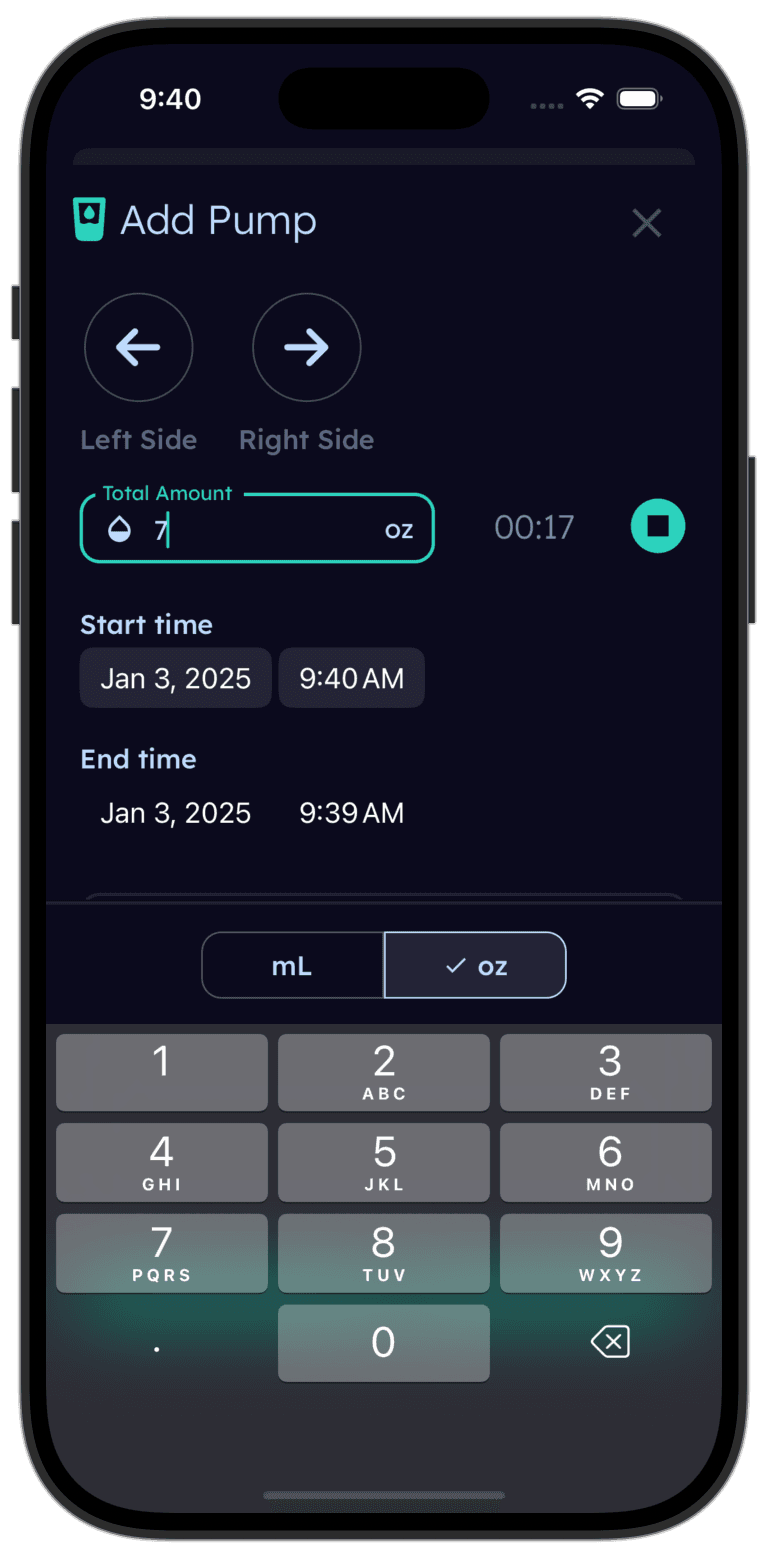
Tinylog tracks sleep so you can spot patterns.
Log naps and nightwakes, track wake windows, see daily sleep totals. Works great alongside any baby monitor.


Security: The Conversation Nobody Wants to Have
Baby monitor hacking is rare, but it does happen — and it's terrifying when it does. The security model of these two monitors is fundamentally different.
Momcozy BM01 uses a closed-loop FHSS (Frequency-Hopping Spread Spectrum) signal. There is no internet connection, no cloud server, and no app to compromise. Someone would need to be physically within radio range and crack the frequency-hopping pattern. This is about as secure as a baby monitor gets.
Nanit Pro encrypts data in transit and at rest, uses secure cloud infrastructure, and follows standard smart-home security practices. It's well-built. But any internet-connected camera has a larger attack surface than a non-connected one — that's just how networking works. Keep your firmware updated and use a strong wifi password.
If security is your number one concern, the Momcozy's offline design is inherently more secure. If you're comfortable with standard smart-home security practices, the Nanit is fine.
| Product | Typical Price | Ongoing Cost | Monthly (Year 1, Amortized) |
|---|---|---|---|
| Nanit Pro Camera + Wall Mount | $180–$230 | Nanit Insights: $100/yr | ~$23–$28/mo (Year 1, amortized) |
| Nanit Pro Complete System (with Breathing Wear) | $280–$330 | Nanit Insights: $100/yr | ~$32–$36/mo (Year 1, amortized) |
| Momcozy BM01 (camera + parent unit) | $40–$55 | None | ~$3–$5/mo (Year 1, amortized) |
Cost: Not Even Close
This is where the comparison gets uncomfortable for Nanit. The Momcozy BM01 costs $40–$55 with zero ongoing fees. The Nanit Pro camera alone starts at $180–$230, and most of its best features require a $100/year subscription.
Over two years of use:
- Momcozy BM01: ~$40–$55 total
- Nanit Pro (with subscription): ~$280–$430 total
That's a 5–8x price difference. The Nanit Pro is a premium product and the sleep tracking is genuinely useful, but you're paying a real premium for those features. If your budget is tight, the Momcozy gives you a solid, reliable video monitor for the price of a few packs of diapers.
If you have the budget and you'll actually use the sleep analytics, the Nanit pays for itself in sleep-training sanity. If you just want to see your baby on a screen, the Momcozy does that for a fraction of the cost.
Choose the Nanit Pro If
- You want AI-powered sleep tracking with real data and weekly reports
- Breathing motion monitoring would help you sleep better at night
- You have reliable home wifi and don't plan to move the camera between rooms
- You want to check in from work or while traveling
- You're already budgeting for a premium nursery setup
- You like data — wake windows, sleep trends, and time-lapse videos
Choose the Momcozy BM01 If
- You want a monitor that just works with zero setup hassle
- Portability matters — you travel, visit family, or move between rooms
- You don't want to depend on wifi for something this critical
- Ongoing subscription costs are a dealbreaker
- You prefer a dedicated parent unit over using your phone
- Security from hacking is a top priority
Where to Buy
If you want the smart features, the Nanit Pro Smart Baby Monitor (~$200 for the camera and wall mount) delivers AI sleep tracking, breathing motion monitoring, and remote access that no other monitor matches. It's a real investment, but parents who use the data swear by it.
If you want reliability and portability without the price tag, the Momcozy BM01 Video Baby Monitor (~$50 for the full kit) is a no-wifi, no-subscription monitor that works out of the box and travels anywhere. It does exactly what a baby monitor should do — shows you your baby, clearly, every time.
Our honest take: if you're on the fence about sleep tracking, start with the Momcozy and log sleep manually in Tinylog. You can always upgrade to a Nanit later if you want the automation.
Tinylog earns a small commission on purchases made through these links, at no cost to you.
We've found promo.new handy for finding discounts on baby gear. Doesn't always have what you need, but it's worth a shot.
The Bottom Line
The Nanit Pro and Momcozy BM01 are both good monitors that serve different needs.
Nanit Pro wins on sleep tracking, breathing motion monitoring, remote access, and video quality. It's the best smart baby monitor on the market, but it costs 5–8x more and depends on wifi and a subscription.
Momcozy BM01 wins on portability, reliability, security, simplicity, and cost. It's a no-nonsense monitor that does its job without wifi, without subscriptions, and without fuss.
For most first-time parents who want peace of mind without complexity, the Momcozy is the smarter buy. For data-driven parents who want to optimize sleep and don't mind the cost, the Nanit is worth every penny.
If you're tracking your baby's sleep — whether by hand or with a smart monitor — Tinylog makes it easy to log naps, nightwakes, and sleep totals over time.
Related Guides
- 1-Month-Old Sleep Schedule — What to expect and how much sleep is normal
- Baby Feeding Chart — How much your baby should eat by age
- 4-Month Sleep Regression — Why it happens and how to survive it
- Sleep Training Methods — Every major method explained and compared
Sources
- Nanit.com. "Nanit Pro Smart Baby Monitor — Product Information." 2026.
- Momcozy.com. "Momcozy BM01 Video Baby Monitor — Product Information." 2026.
- Wirecutter (NY Times). "The Best Baby Monitors." nytimes.com/wirecutter, 2026.
- Consumer Reports. "Best Baby Monitors From Our Tests." consumerreports.org, 2026.
- FCC.gov. "Wireless Baby Monitor Safety and Security." fcc.gov.
- BabyGearLab. "Best Baby Monitor Review." babygearlab.com, 2026.
This guide is for informational purposes only. Baby monitor choice depends on your household setup, budget, and personal preferences. Always follow safe sleep guidelines from the AAP regardless of what monitor you use.
Frequently asked questions
- Does the Nanit Pro require wifi?
- Yes. The Nanit Pro requires a stable wifi connection and uses the Nanit app on your phone or tablet as the viewer. Without wifi, you cannot view the camera feed. The Momcozy BM01 uses a dedicated handheld monitor with no wifi needed.
- Can I use the Momcozy BM01 while traveling?
- Yes, and this is one of its biggest strengths. The BM01 is compact, runs on a rechargeable battery, and needs zero wifi. It works in hotel rooms, grandparents' houses, and anywhere else you take your baby.
- Is the Nanit Pro subscription required?
- The camera works without a subscription, but sleep tracking, breathing motion monitoring, and video history all require a Nanit Insights plan. The free tier gives you live video only. Most parents who buy the Nanit end up subscribing.
- Which monitor has better night vision?
- The Nanit Pro has a slightly sharper night vision image thanks to its 1080p sensor and overhead mounting angle. The Momcozy BM01 has solid infrared night vision at 720p that automatically activates in low light. Both show you a clear picture of your baby in the dark.
- Can I use two cameras with either monitor?
- The Nanit app supports multiple Nanit cameras on one account, so you can monitor different rooms. The Momcozy BM01 supports pairing up to two cameras to one parent unit and lets you toggle between feeds or view split screen.
- Which baby monitor is more secure from hacking?
- The Momcozy BM01 is inherently more secure because it uses a closed-loop radio signal with no internet connection — there is nothing to hack remotely. The Nanit Pro uses encrypted wifi and cloud connections, which are well-secured but theoretically more exposed than a non-wifi device.