
Speed of logging
How many taps to log a feed? When you're holding a baby at 3 AM with one free thumb, every extra screen matters. If it takes more than three taps, you'll stop using it within a week.
GUIDE
Published on ·Updated on
We downloaded every popular baby tracker when our kid was born. Most of them frustrated us. So we built our own.
We're biased — we made one of these apps. But we're going to be honest about all of them, including ours.
The last baby tracker you'll ever need
We tested 12 baby tracker apps over six months: Huckleberry, Glow Baby, Nara, Baby Connect, Baby Tracker by Nighp, Pebbi, Baby Daybook, Cubtale, Sprout, Hatch, and a couple we've since deleted. None were quite right. Too many taps, white screens at 3 AM, paywalls on basic features. So we built our own. Yes, we're biased. We're going to be honest about all twelve, including Tinylog.
Before getting into individual apps, here's what we learned matters most — not from a feature checklist, but from actually using these things while sleep-deprived with a screaming baby.
How many taps to log a feed? When you're holding a baby at 3 AM with one free thumb, every extra screen matters. If it takes more than three taps, you'll stop using it within a week.
Not dark mode as a checkbox feature — dark mode as the default assumption. That white screen hitting your face in a pitch-black room while your baby is half-asleep is the worst. You're trying NOT to wake up fully, and the app is lighting up the room.
Open the app, immediately see: when was the last feed, when was the last diaper, when did the last nap end. If you have to dig through screens to answer "how long since the last feeding?" — the app has failed its most basic job.
Not "export a PDF and share it." Actual real-time sync where both parents see the same data. When one parent does a night feed and the other takes over in the morning, both need to see what happened without a whispered conversation.
WHO charts for term babies, Fenton charts for preemies. Most apps only offer WHO — which gives misleading results for preterm infants. If your app doesn't support Fenton, it's leaving NICU families behind.
Obvious bias warning: we built Tinylog because the apps below didn't work for us. Here's what we made and where we fall short.
Pricing: $9.99/mo or $39.99/yr.
Rating: 4.8 stars on the App Store.
What we loved:
What we don't have:
Best for: Parents who want fast logging, AI care plans, preemie support, or multilingual tracking.
Huckleberry is the most popular baby tracker on the market with 4M+ users. SweetSpot, its AI nap-time predictor, is genuinely unique.
Pricing: Free basic tier, $9.99/mo Plus, $14.99/mo Premium.
Rating: 4.7 stars, hundreds of thousands of reviews.
What we loved:
What frustrated us:
Best for: Parents whose #1 concern is optimizing sleep schedules. See our Tinylog vs Huckleberry breakdown.
Glow Baby is part of the 20M+ Glow suite. Forums and shared experiences are built in alongside basic tracking.
Pricing: Free with ads, $59.99/yr or $79.99 lifetime.
Rating: 4.2 stars.
What we loved:
What frustrated us:
Best for: Parents who want community plus tracking in one place. See our Tinylog vs Glow Baby comparison.
Nara has a modern, minimal interface that's a step up visually from most trackers. Caregiver coordination is solid.
Pricing: Subscription-based.
Rating: 4.5 stars.
What we loved:
What frustrated us:
Best for: Parents who want clean design and caregiver coordination.
Baby Connect is the veteran. Feature-rich, deeply customizable, and the rare app with a one-time price plus full web access to your data.
Pricing: $4.99 one-time purchase, no subscription.
Rating: 4.4 stars.
What we loved:
What frustrated us:
Best for: Data-loving parents who want maximum customization and real data ownership. See our Tinylog vs Baby Connect comparison.
7,600+ reviews at 4.9 stars. Genuinely free with optional $4.99 one-time to remove ads.
Pricing: Free with ads, $4.99 one-time Pro upgrade.
Rating: 4.9 stars across 7,600+ reviews.
What we loved:
What frustrated us:
Best for: Parents who want simple and free, and don't mind ads. See our Tinylog vs Baby Tracker comparison.
Pebbi is privacy-first and built for shared caregiving. Real-time sync works offline, no ads, minimal data collection.
Pricing: Free tier with paid upgrades.
Rating: 4.3 stars.
What we loved:
What frustrated us:
Best for: Multi-caregiver households that prioritize privacy and speed.
60K+ reviews at 4.8 stars. The rare baby tracker with a $29.99 lifetime upgrade option.
Pricing: Free, $4.99/mo, or $29.99 lifetime.
Rating: 4.8 stars across 60K+ reviews.
What we loved:
What frustrated us:
Best for: Budget-conscious parents who want a one-time purchase with cloud sync.
Cubtale specializes in breastfeeding and pumping. Milk inventory, freezer storage, and side-of-feeding memory are best in class.
Pricing: Free tier plus subscription.
Rating: 4.4 stars.
What we loved:
What frustrated us:
Best for: Breastfeeding and pumping-heavy routines in the first six months.
The polished iOS-first option. Beautiful interface, full Apple ecosystem support, easily the prettiest tracker we tested.
Pricing: Subscription, iOS only.
Rating: 4.6 stars.
What we loved:
What frustrated us:
Best for: All-Apple households where budget isn't a constraint.
Hatch is best known for its smart sound machine and night light. The app is mostly a hardware companion, not a standalone tracker.
Pricing: Free with hardware purchase.
Rating: 3.9 stars.
What we loved:
What frustrated us:
Best for: Existing Hatch hardware owners.
Talli Baby: A physical button device paired with an app. Charming idea. Press the button to log a feed without unlocking your phone. The hardware adds friction (you have to keep the button nearby), and the app on its own is unremarkable. Niche.
BabyTime (BabyTimeApp): Solid old-school tracker on Android with a loyal following. Interface is dated, sync is reliable, free tier is real. If you're Android-only and don't want a subscription, worth a look.
Mama Bear: Tries to do too much, sleep tracking, kick counter, mood journal, photo memories, and ends up feeling unfocused. We deleted it after a week.
Reddit threads are gold for first impressions. Most comments come from parents in week one or two, when every app feels fine because the bar is "does it log a feed." Here's what only shows up after months of real use.
1. Free tiers shrink over time.
2. Data export is theater for most apps.
3. Pediatricians don't want your app screenshots.
4. Caregiver sync breaks in real life.
5. Single-thread Reddit advice is biased.
None of this is to say Reddit is wrong. The threads in r/newborns and r/predaddit are useful starting points. Just read them as week-one impressions, not multi-month verdicts.
| Feature | Tinylog | Huckleberry | Glow Baby | Nara Baby | Baby Connect | Baby Tracker |
|---|---|---|---|---|---|---|
| Fast logging (3 taps or less) | ✓ | ✗ | ✗ | ~ | ✗ | ~ |
| Dark mode | ✓ | ✓ | ✓ | ✓ | ✗ | ✓ |
| Day-at-a-glance overview | ✓ | ~ | ✗ | ✓ | ✓ | ✓ |
| Real-time caregiver sync | ✓ | ✓ | ~ | ✓ | ✓ | ✗ |
| WHO growth charts | ✓ | ✓ (Premium) | ✓ | ✓ | ✓ | ✗ |
| Fenton growth charts | ✓ | ✗ | ✗ | ✗ | ✗ | ✗ |
| AI features | Care plans | SweetSpot | ✗ | ~ | ✗ | ✗ |
| Multiple languages | 4 | EN only | Limited | Limited | Limited | Limited |
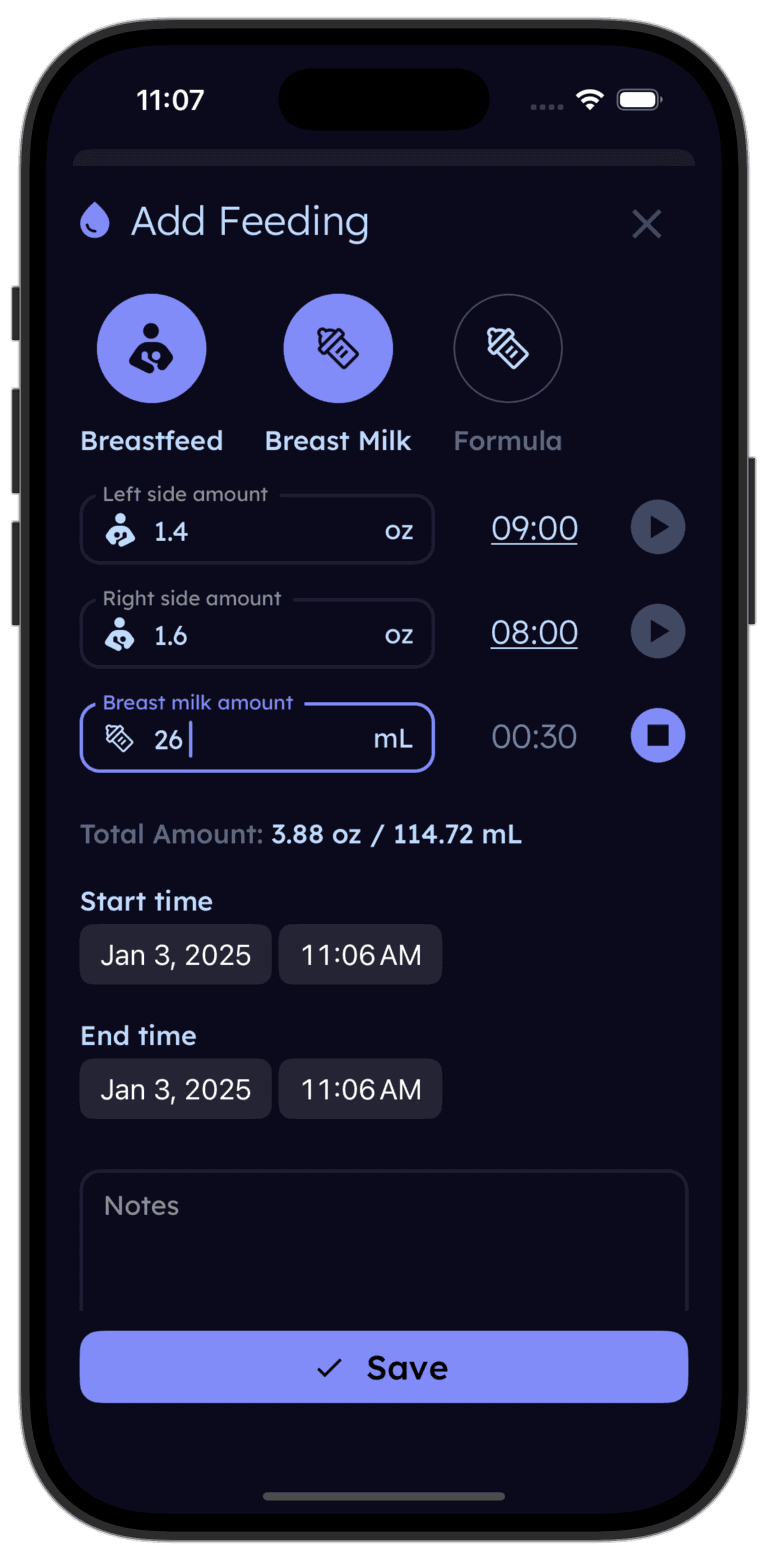
Tinylog's free tier covers feeding, sleep, diapers, and pumping with zero ads. Premium adds AI care plans, WHO + Fenton growth charts, and detailed trends. Try it and see if it fits — no credit card, no commitment.


No single app is perfect for every family. Here's the short version:
If sleep is everything — Huckleberry. SweetSpot is still the best nap predictor out there.
If you want community — Glow Baby. The forums and shared experiences are unmatched.
If you want maximum data control — Baby Connect. One-time price, web access, infinite customization.
If you want fast, AI-powered tracking with preemie support — that's what we built Tinylog for. The free tier is genuinely free, and if you have a preemie, we're one of the only apps with Fenton charts. Try it and decide for yourself.
Switching between Huckleberry and Tinylog? We wrote a full breakdown of that decision too.
Best Free Baby Tracker App — What parents are using in 2026
Best App for Breastfeeding — Features breastfeeding moms need
Best App for Preemies — Fenton charts and adjusted age tracking
Best Milestone Tracker Apps — CDC checklists, activity plans, and more
Best Growth Tracker Apps — Weight, length, and percentile tracking
Baby Daybook Alternative — What to look for in a replacement
Glow Baby Alternative — Modern options worth considering
Huckleberry vs Baby Connect — Sleep AI vs feature-packed veteran
Huckleberry vs Nara Baby — Paid sleep predictions vs free everything
Huckleberry vs Glow Baby — Sleep specialist vs community tracker
Huckleberry vs Sprout Baby — Sleep AI vs Apple ecosystem
Baby Tracker vs Glow Baby — Budget one-time purchase vs subscription